
Launch Campaign
Product Launch
Make one product the unmistakable hero with premium lighting, restrained color, one short headline and generous negative space.
- Single hero product
- Wide copy-safe margins
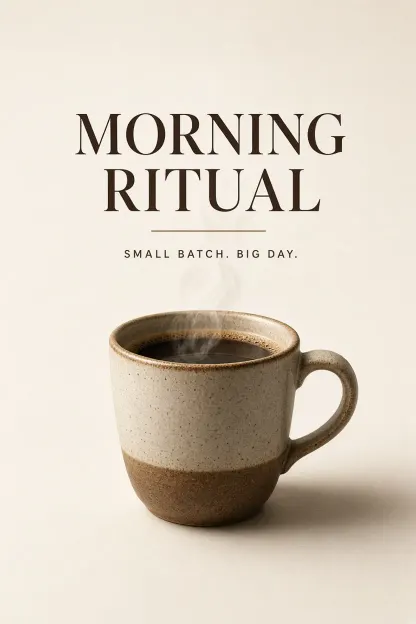
Create from Text · Poster Workflow
Design a poster concept from a focused text brief. This AI poster generator guides short headlines, visual hierarchy and practical space for brand finishing.
Choose one of six commercial-poster directions, put the exact short headline in quotation marks and describe the subject, palette, layout and destination format. The workflow treats the words as a generation constraint, but the result remains a draft: review every character, date, price, name and claim before publishing, then add logos, QR codes and fine print in an editable layout tool.

Launch Campaign
Make one product the unmistakable hero with premium lighting, restrained color, one short headline and generous negative space.
Live Event
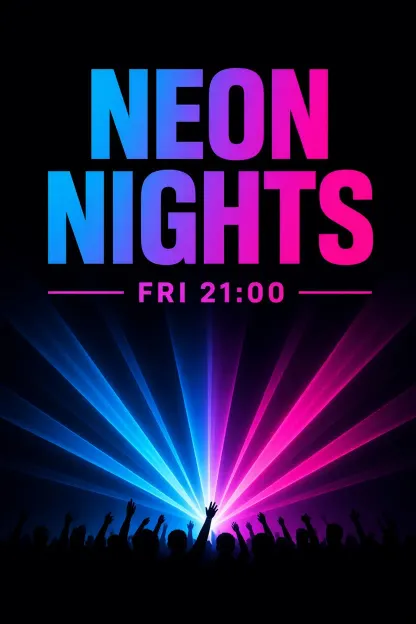
Use one bold atmospheric visual, controlled contrast and a crisp event grid for a fictional or rights-cleared title and date line.
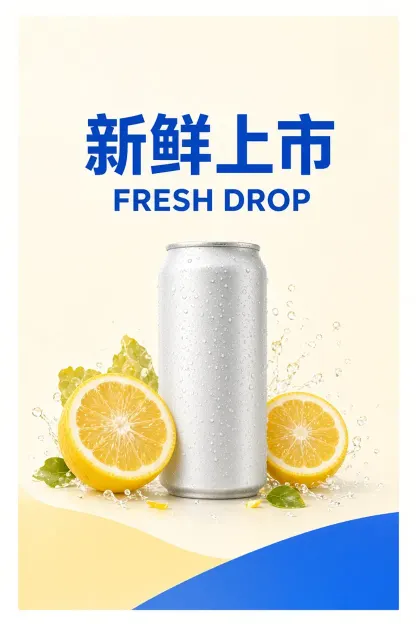
Two Languages
Arrange two exact short headline lines in a disciplined stack, with equal spelling review and no invented translation or offer claims.
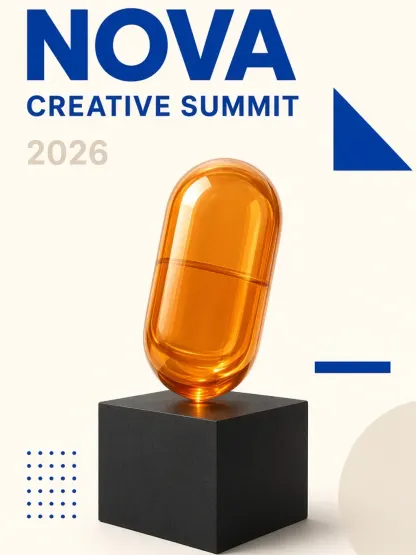
Editorial Grid
Combine a concept-led centerpiece with restrained geometry, a large event name and minimal supporting information.
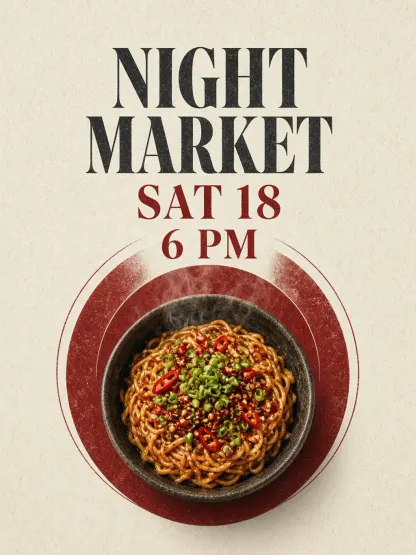
Hospitality
Feature one coherent food composition, an editorial graphic system and at most one date-and-time block.
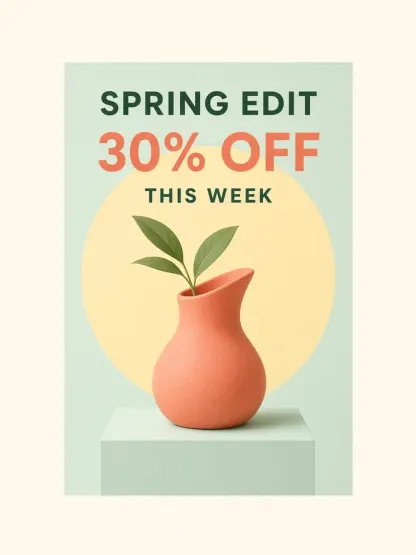
Promotion
Keep the product or category visual primary and one verified offer secondary without invented prices, urgency or fine print.
Made with GLMImage
Explore first-party product-launch, event, bilingual retail, conference, food and promotion posters assigned to this workflow. Treat every example as a draft and verify all visible copy.
Focused workflow
The generator loads the poster recipe and a practical vertical format.
Put exact copy in quotation marks, then describe subject, palette and crop.
Use portrait, square or a 32-aligned custom size for the destination.
Verify every word is correct, then adjust one element at a time.
Practical starting points
Use these as structures, not magic phrases. Replace the subject, purpose and constraints with details from your own project.
A launch poster for a specialty coffee brand, headline "Morning Ritual" in quotation marks at the top, warm roasted-brown and cream palette, a single hero coffee cup with soft steam, clean negative space, strong hierarchy, vertical poster format
Defines exact headline wording, hero subject, palette and crop in one brief.
A music festival poster, headline "Neon Nights" in quotes, vibrant magenta and electric-blue palette, silhouette of a crowd under stage lights, bold readable type, room for a date line at the bottom, square social format
Separates the exact wording from the visual hook and practical date space.
A campaign poster for a language app, English headline "Speak Freely" with a short Chinese line "畅所欲言" below, modern minimal layout, soft pastel background, single confident subject, clean readable bilingual typography, portrait format
Tests GLMImage’s bilingual text rendering with two short exact lines.
AI image tools can draw beautiful posters and still misspell the headline. An AI poster generator is only useful for marketing when the words are reviewed, because a poster with garbled copy is unusable. This GLMImage workflow asks the active production model to treat quoted text as an explicit constraint, but every result still needs a copy check before publishing.
The recipe does more than fix letters. It asks for one strong focal idea, clear hierarchy, an intentional grid and breathing room around the copy, so the result reads like a designed poster rather than a busy collage. Your prompt controls the subject, message and mood; the built-in direction supplies the craft. That balance is what makes this poster generator dependable for real marketing work instead of just pretty experiments.
Start with the message, then the subject, then the look. A usable brief is: a launch poster for a specialty coffee brand, headline "Morning Ritual" in quotes, warm roasted tones, a single hero cup, clean negative space at the top. Putting the exact wording in quotation marks tells the AI poster generator what must be spelled correctly and where it belongs. Keep headlines short — four to eight words render far more reliably than a paragraph.
Then separate the words from the picture. Describe the headline, sub-headline and any call to action as text first, then describe the visual: hero subject, color palette, lighting, mood and crop. If you need space for a logo or QR code in production, say so and the generator leaves practical margin. Avoid stacking many text blocks on one poster; the cleanest results focus on one headline and let the image carry the rest.
The default 832 × 1216 portrait suits event flyers, shop window posters and editorial formats. Square 1024 × 1024 works for social feeds where the poster must survive a small thumbnail. A wide 1216 × 832 fits website hero banners and presentation slides. Choosing the size early lets the AI poster generator place the headline and hero intentionally instead of forcing a finished design into the wrong crop.
A marketing team can explore a dozen campaign directions before commissioning a final shoot. Each AI poster generator iteration tests a different headline, hero and palette, so the team can judge which message lands before spending production budget. Because the copy renders correctly, the drafts are presentable enough for internal review rather than needing a disclaimer sticker over garbled text.
Small businesses and solo founders can explore launch posters, event flyers and window signs before final production. Describe the offer, put the exact headline in quotation marks, and review the resulting layout as a visual draft. For a series — a monthly event, a seasonal sale, a recurring social campaign — keep the same composition and palette while changing only the headline and hero, then inspect whether the results still read as one coherent campaign.
Educators and community organizers can use the same workflow for seminar posters, club announcements and public-event signage. The model handles Chinese and English copy, which helps bilingual campuses and international events. Whatever the use, treat the first result as a strong draft: verify every word, confirm the brand is represented correctly, and finish tiny print or a QR code in a layout tool where it stays crisp and editable.
Before a poster goes public, give the copy a careful final read in both languages. AI-rendered text can drop a character, swap a similar-looking glyph, or mangle a long word at the edge of the canvas. Check that phone numbers, dates, prices, names and any legal or compliance line are exactly right, and that any person, logo or trademark shown is one you have permission to feature. Copy review and editable finishing are what turn a fast draft into something suitable for print or posting.
The fastest way to a strong poster is not one giant prompt but a series of small adjustments. Keep the subject, palette and crop stable, then change a single element — the headline wording, the hero angle, the amount of negative space — and generate again. This isolates the cause of any improvement, so you learn which instruction the AI poster generator responds to and build a reusable brief for future campaigns.
When the copy is right but the image feels weak, revise only the visual layer: the hero subject, the lighting mood or the background. When the image is strong but the hierarchy is muddy, tighten the layout by asking for more contrast between the headline and the hero, or more breathing room around the edges. Saving the winning prompt together with its aspect ratio turns a lucky result into a repeatable template you can hand to teammates.
Use 832 × 1216 for event posters and flyers, 1024 × 1024 for social feeds, and 1216 × 832 for web banners. Custom dimensions must be 256–1536 and divisible by 32.
Yes. GLMImage supports Chinese and English prompts and short in-image copy. Keep the exact headline inside quotation marks in whichever language you use.
Start with one business goal and one audience. Give the AI poster generator a short offer or event headline, a clear hero product or subject, your brand colors and room for a logo or call to action. Verify prices, dates, trademarks and contact details in the final design.
Short Chinese and English headlines can be requested by placing them in quotation marks. Results vary by the routed model, so always review the copy before publishing, especially small characters.
Long text blocks, tiny type and rare fonts are harder to render. Keep headlines short, raise the size, and avoid cramming many sentences onto one poster.
Yes. GLMImage renders short Chinese and English text. Place each exact line in quotation marks and state where it sits, then review both languages carefully before publishing.
Put the exact wording inside quotation marks and keep it short — four to eight words. State where it sits on the poster so the generator places it clearly instead of guessing.
Lock the composition, palette and crop, then change only the headline and hero between generations. Repeating structure is what makes individual AI posters read as one coherent campaign rather than unrelated images.
Choose the commercial-poster workflow, write the exact headline in quotation marks, then describe the subject, palette, layout and destination format. Generate a draft, review every word and refine one variable at a time before publishing.
Yes. Ask for practical copy space in the prompt and finish the logo, QR code or fine print in a design tool where small text stays editable and crisp.
No. Output is delivered clean. You remain responsible for lawful use of brands, trademarks and third-party rights in any published poster.
Ask the AI poster generator for practical copy space, then add fine print, terms, logos and QR codes in a design tool where small elements stay crisp, editable and accessible.
Choose a campaign style, write the exact short headline and generate a concept you can inspect and finish.
Create a poster concept









