
LIFE SCIENCES
Cell & Molecular Biology
Cells, organelles, and molecular processes with labeled stages.
- Cells
- Processes
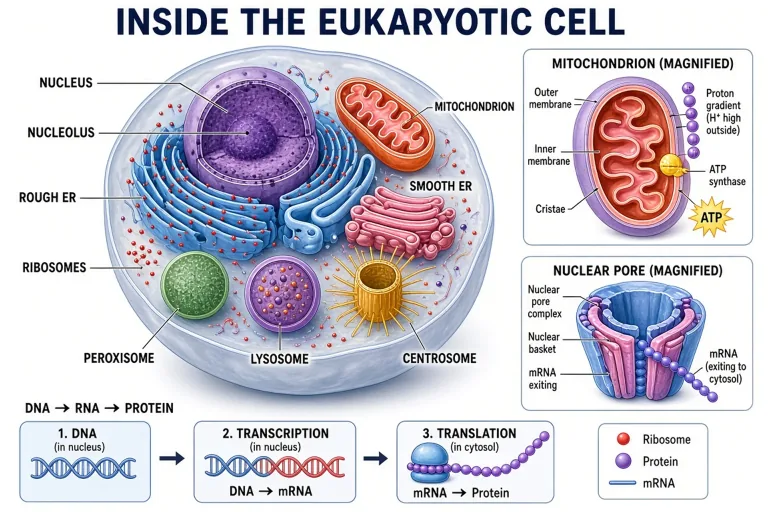
Text to Lesson Figure · Education Layout
Turn any curriculum topic into a labeled, classroom-ready illustration — water cycles, food webs, orbital mechanics, plate tectonics — with readable labels and a layout that explains rather than decorates.

LIFE SCIENCES
Cells, organelles, and molecular processes with labeled stages.
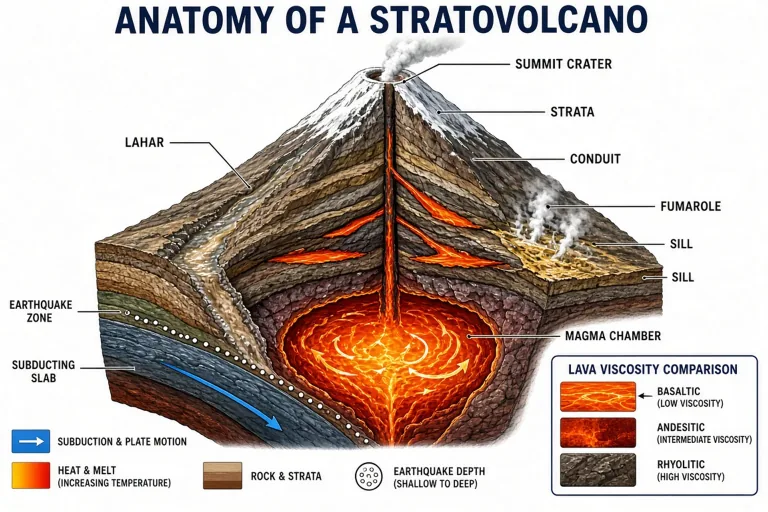
EARTH SCIENCE
Rock cycles, plate tectonics, and atmospheric processes.
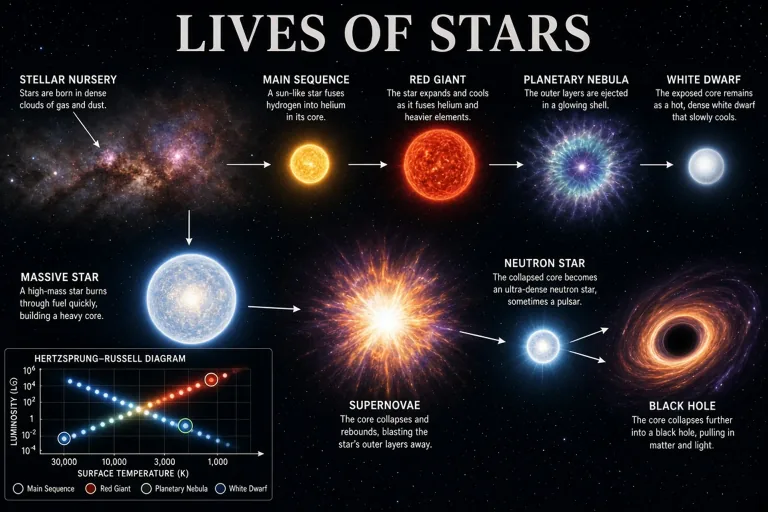
PHYSICAL SCIENCES
Orbital diagrams, star life cycles, and scale figures.
Made with GLMImage
Real results shared by creators who used this exact workflow. Tap any image to view its prompt.
 Human heart blood flow (validation)
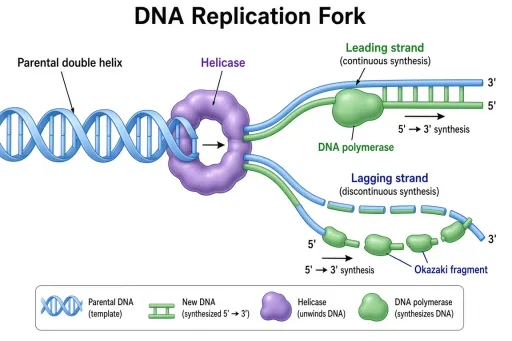 DNA replication fork (validation)
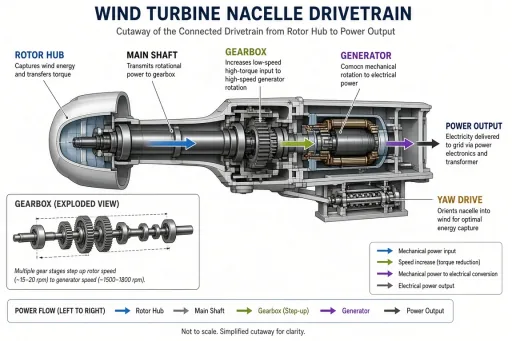 Wind turbine nacelle (validation)
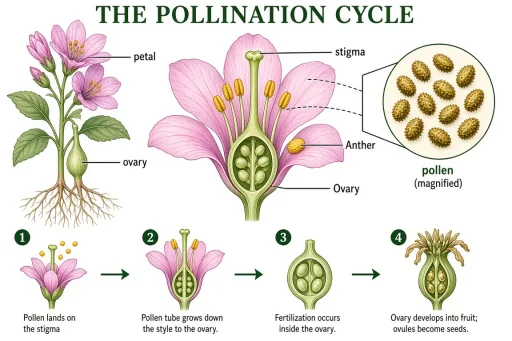 Pollination cycle (validation)
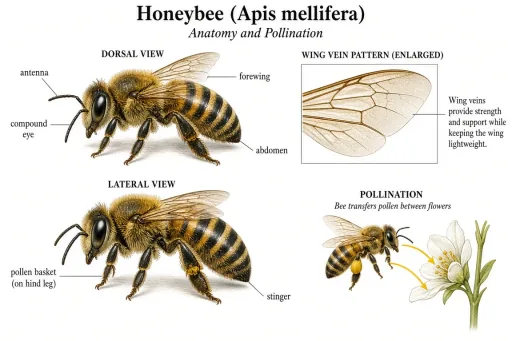 Honeybee anatomy (validation)
 Stratovolcano cross-section (validation)
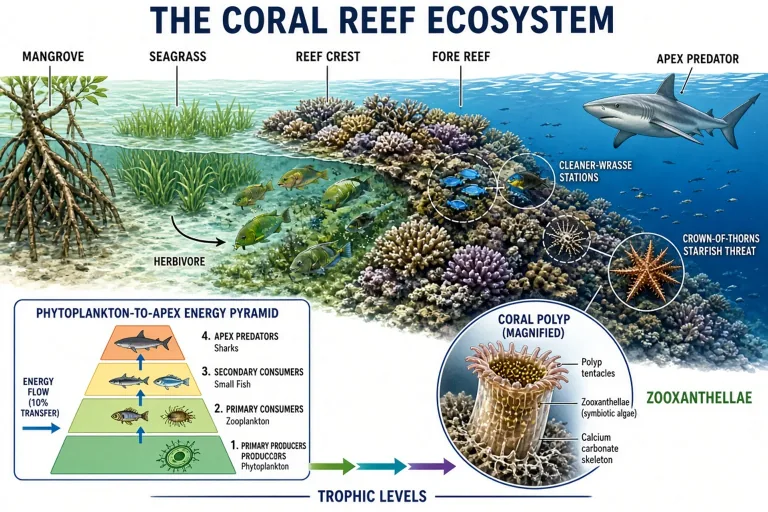
 Coral bleaching and recovery (validation)
 Sun structure cutaway (validation)
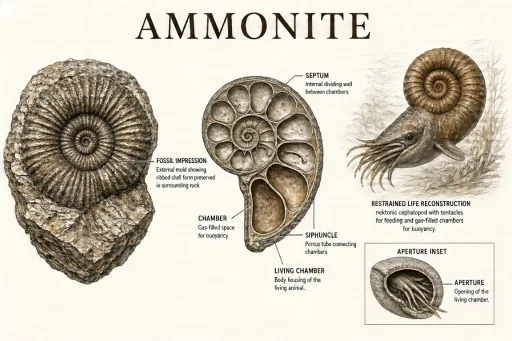 Ammonite comparison (validation)
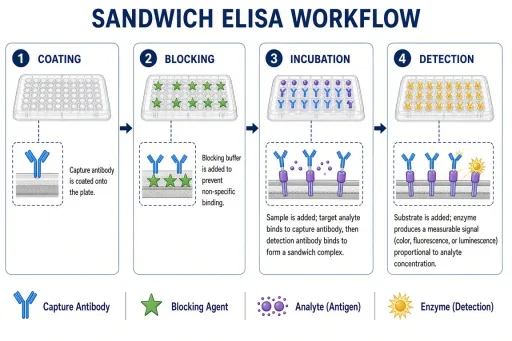 ELISA workflow (validation, free)
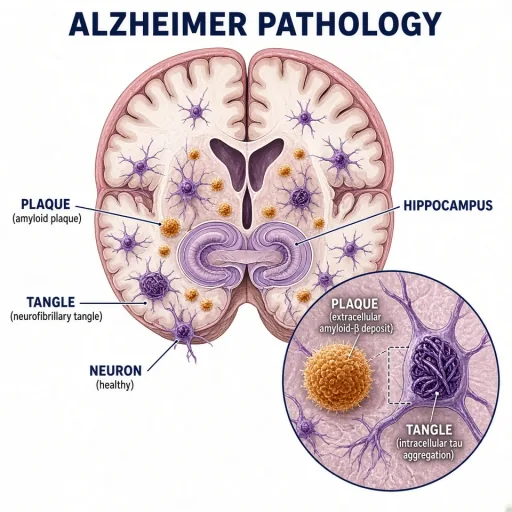 Alzheimer pathology in the hippocampus
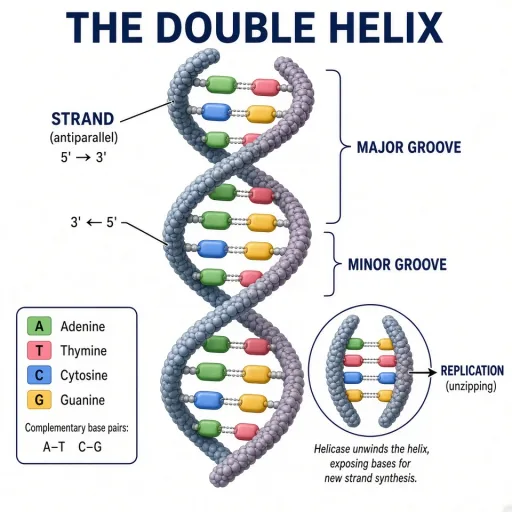 The DNA double helix
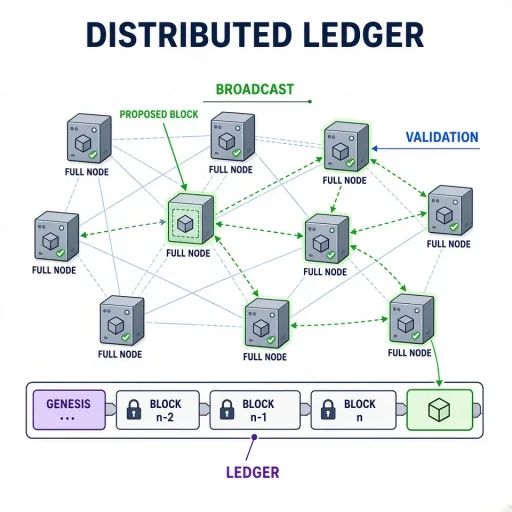 Blockchain network topology
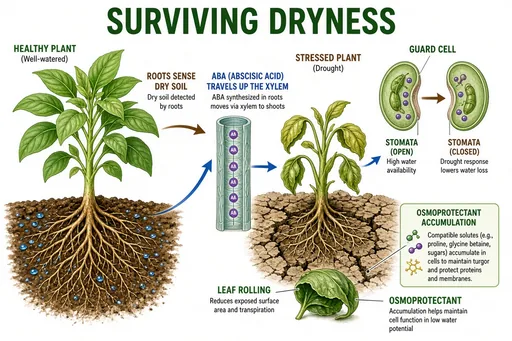 Plant drought response
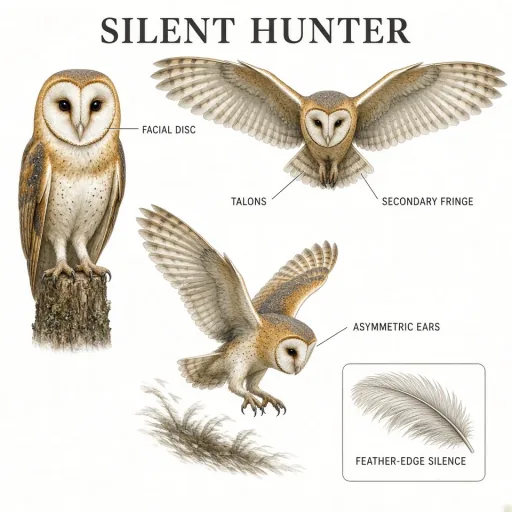 Barn owl hunting plate
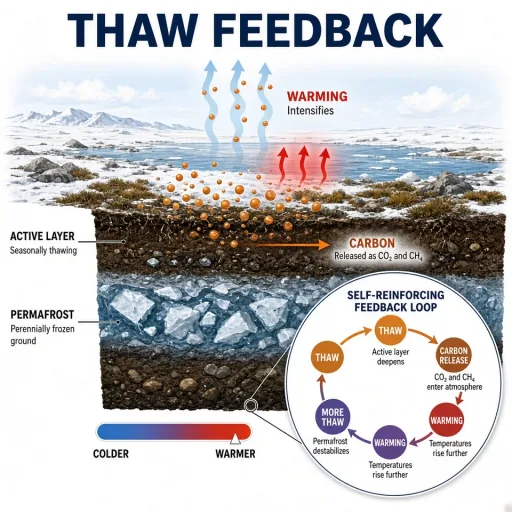 Permafrost thaw feedback
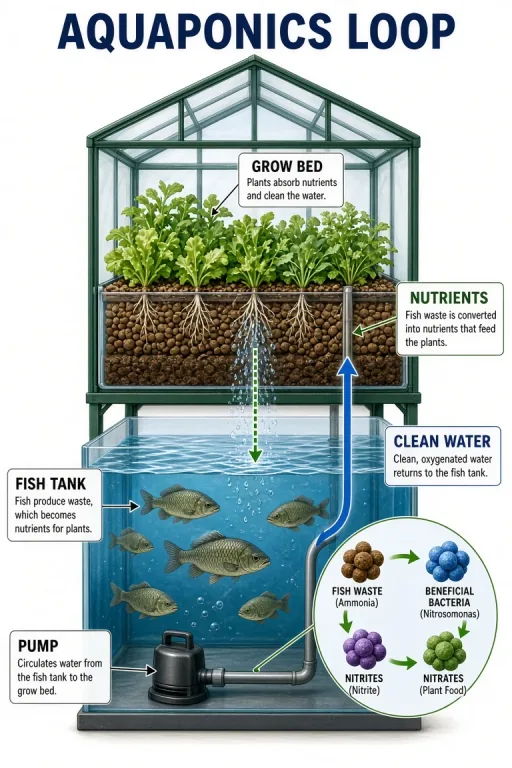 Aquaponics closed loop
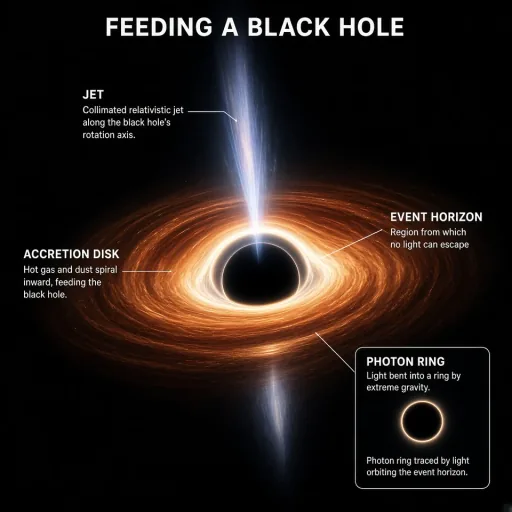 Black hole accretion disk
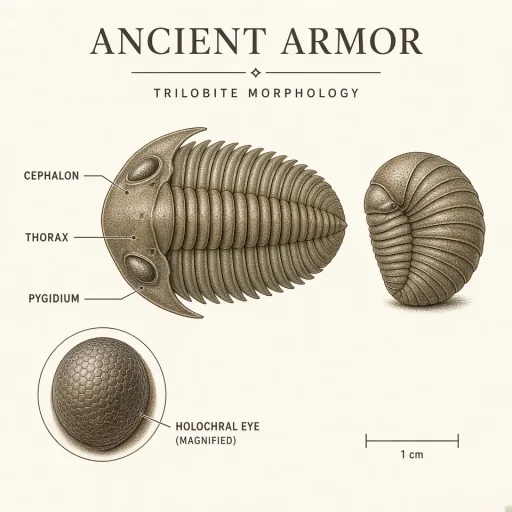 Trilobite morphology plate
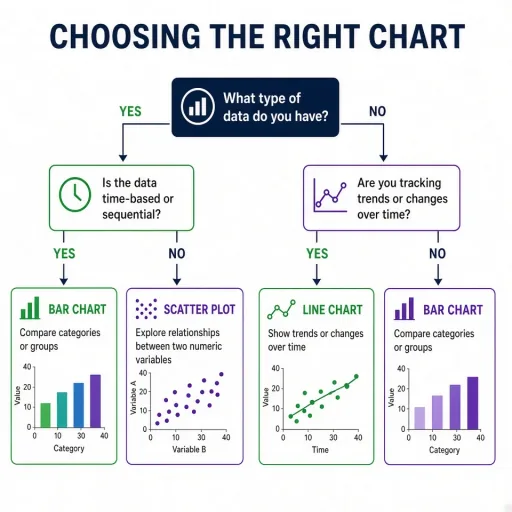 Peer review decision tree (validation, free)
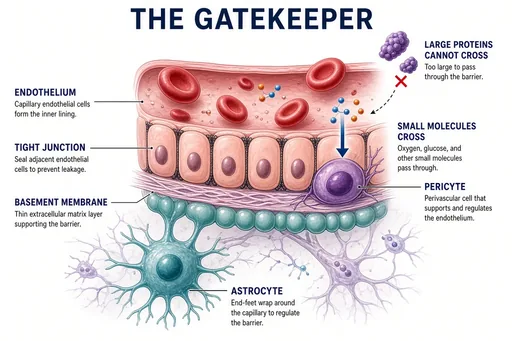 Blood-brain barrier concept
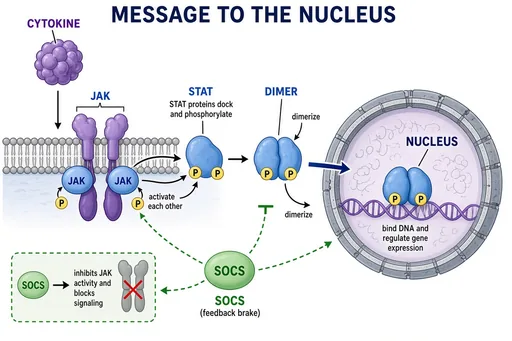 JAK-STAT signaling
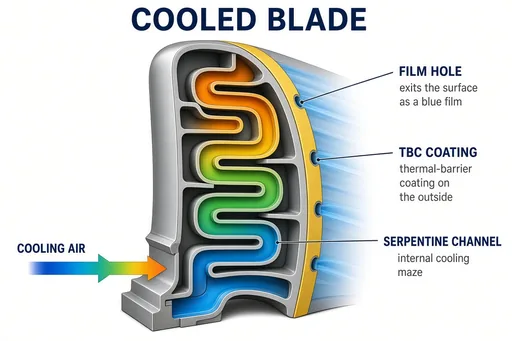 Turbine blade cooling channels
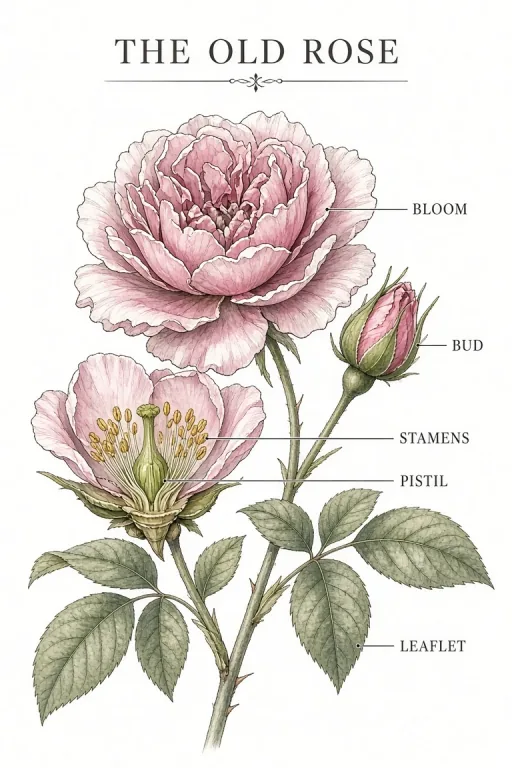 Heritage rose plate
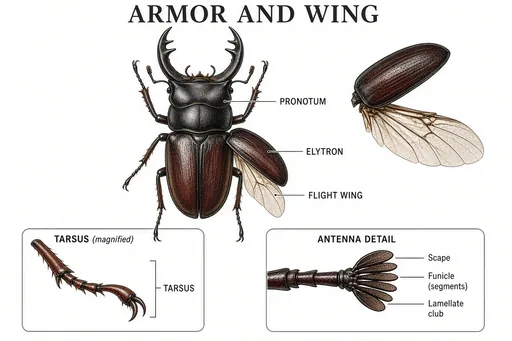 Beetle morphology plate
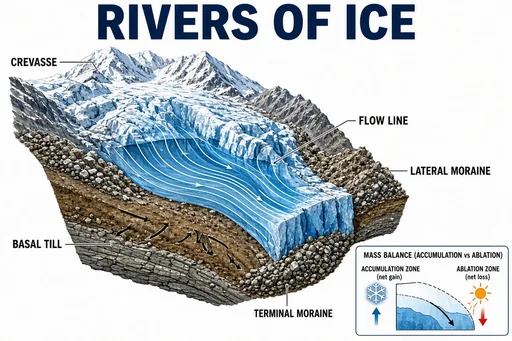 Glacier motion and moraines
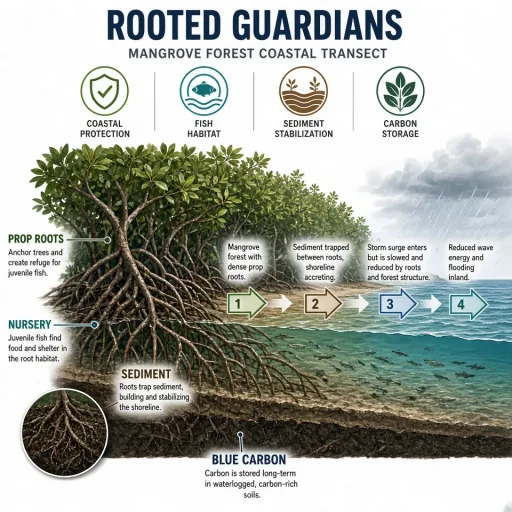 Mangrove ecosystem services
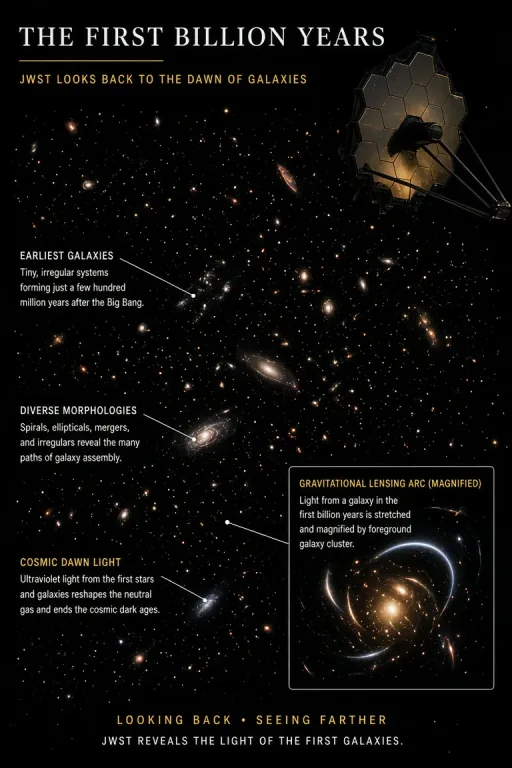 Webb deep field (cover art)
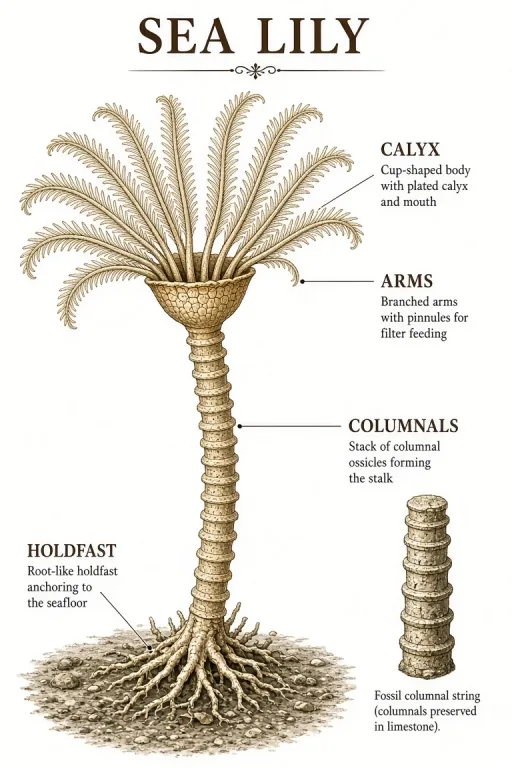 Crinoid reconstruction
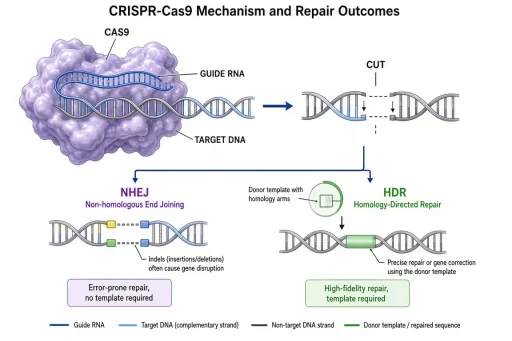 CRISPR-Cas9 mechanism (validation, free)
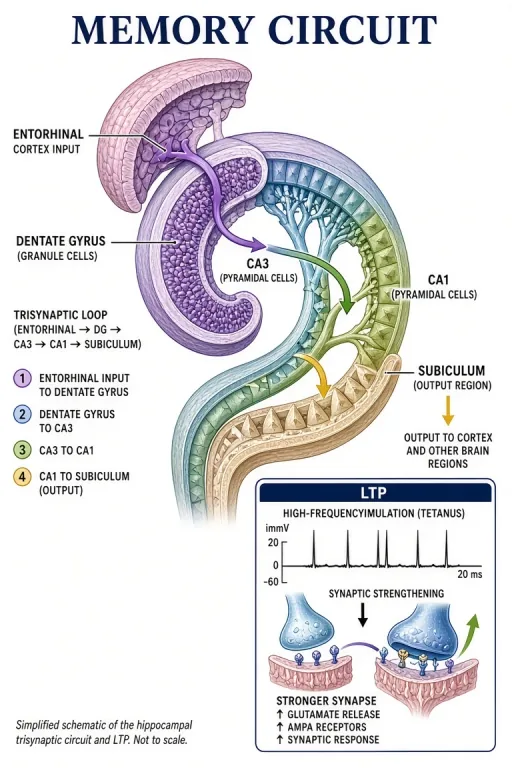 Hippocampus memory circuit
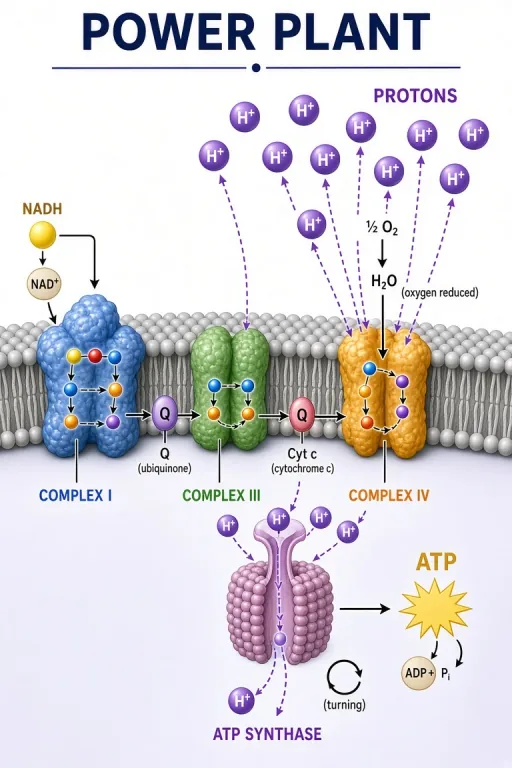 Mitochondrial electron transport chain
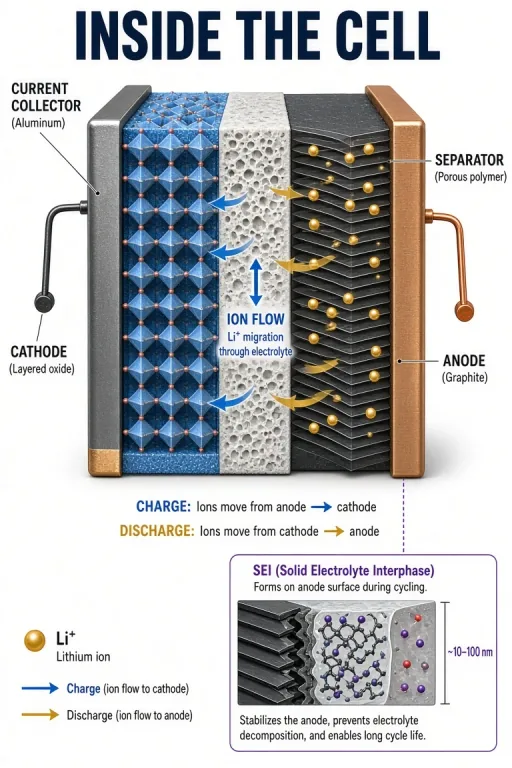 Lithium-ion battery cell
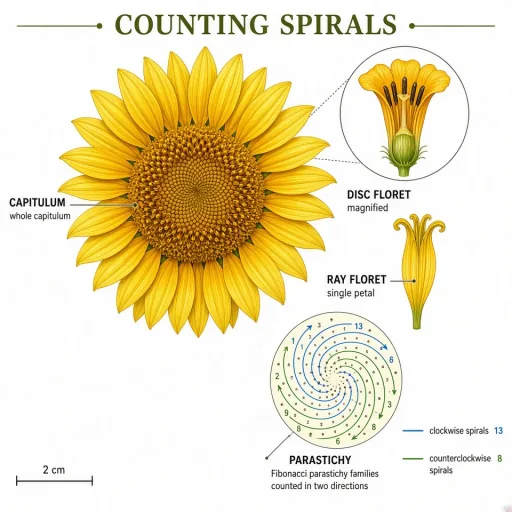 Sunflower phyllotaxis
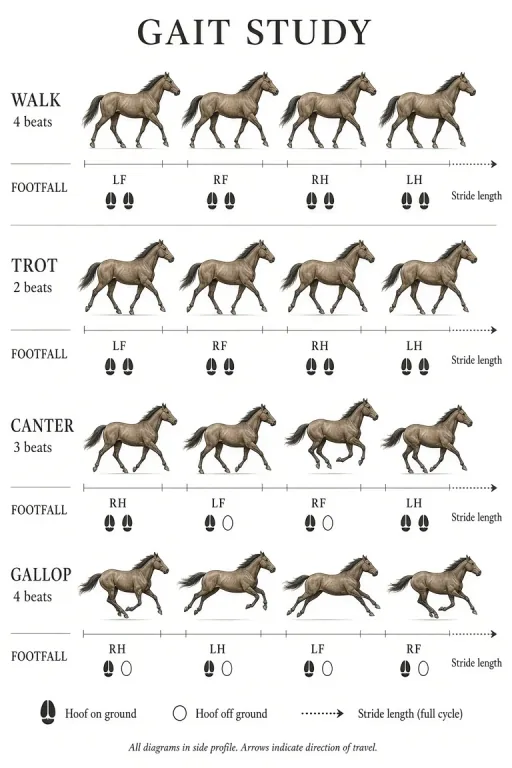 Horse gaits study
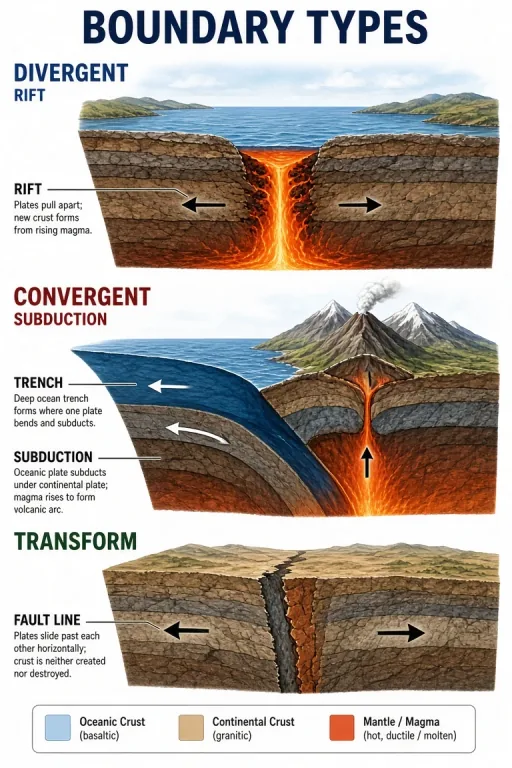 Three plate boundary types
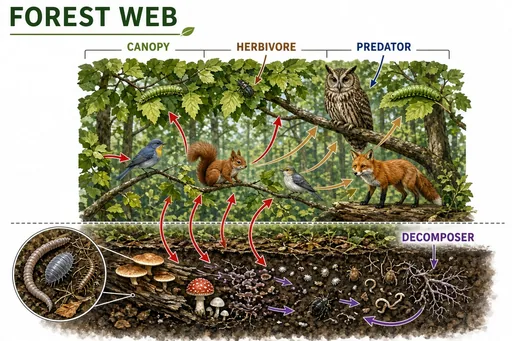 Temperate forest food web
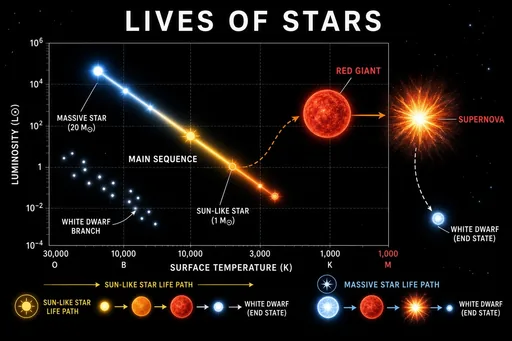 Star life cycle and the HR diagram
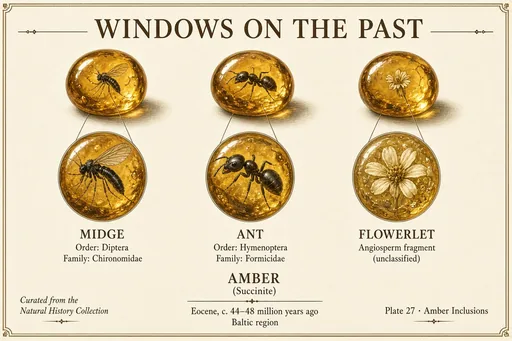 Amber inclusions gallery
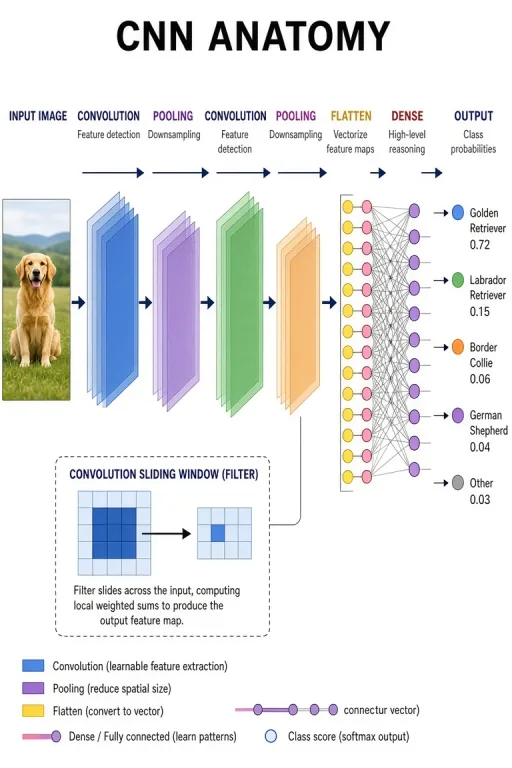 Convolutional network architecture
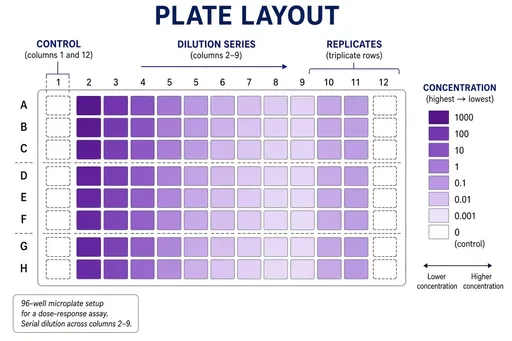 96-well plate assay layout
 Research conference poster session
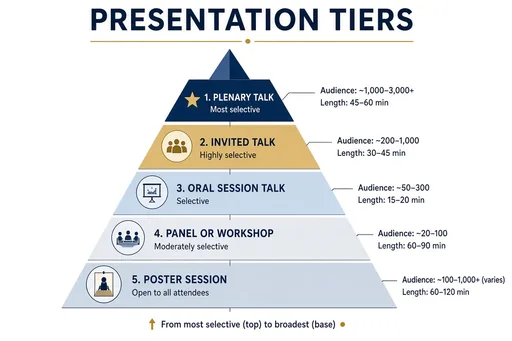 Conference presentation tiers
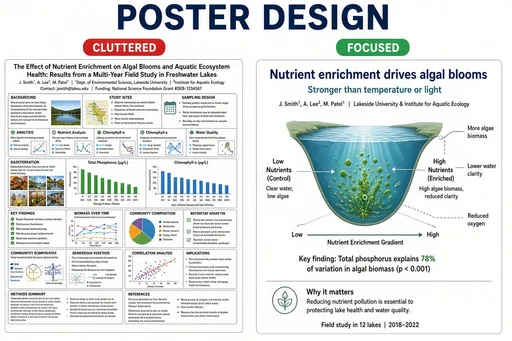 Strong vs weak research poster
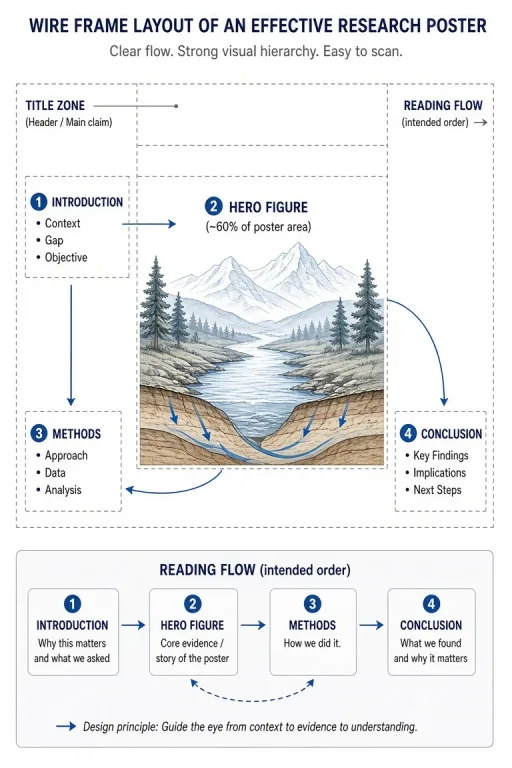 Hero-figure poster architecture
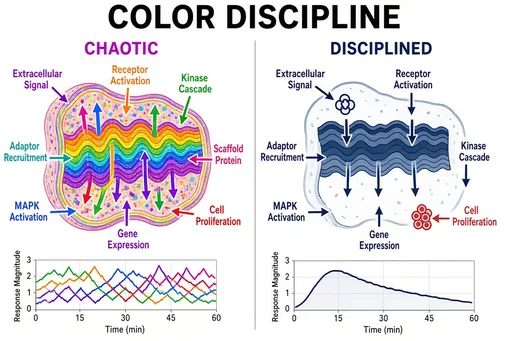 Color discipline in figures
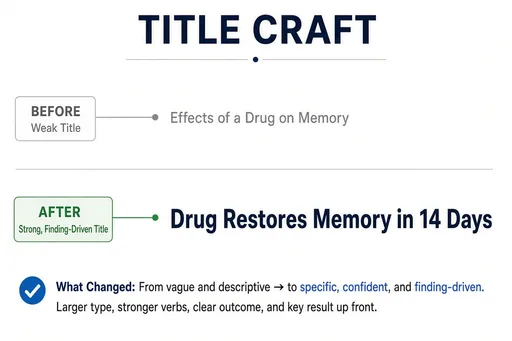 Poster title formulas
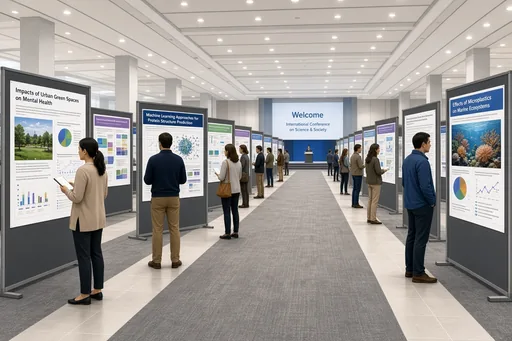 Poster hall overview
An educational illustration is judged by whether a student can learn from it: the labels must be readable at slide size, the process arrows must point the right way, and the composition must match how the topic is taught. The education-facing recipes — biology, earth science, astronomy, ecology — produce exactly that figure style.
Describe the curriculum topic and the key terms; the recipe handles layout, labeling, and visual hierarchy. One prompt becomes the centerpiece of a slide, worksheet, or e-learning screen.
Paste the concept straight from your lesson plan: "the water cycle with evaporation, condensation, precipitation, and collection labeled" or "a food web with producers, primary consumers, and secondary consumers". Generate, spot-check the science, and drop it into your material.
Teachers use these figures for slides, printable worksheets, quiz plates, and course thumbnails; instructional designers use them to storyboard e-learning screens before final art.
Guides for scientific and educational illustration.
Practical starting points
Use these as structures, not magic phrases. Replace the subject, purpose and constraints with details from your own project.
Create a labeled diagram of the water cycle showing "evaporation", "condensation", "precipitation", "collection", and "transpiration", with arrows showing movement between sun, cloud, mountain, lake, and ocean.
Earth science · process diagram
Create a labeled food web diagram with "producers" (grass, algae), "primary consumers" (rabbit, zooplankton), "secondary consumers" (fox, fish), and "decomposers", connected by energy-flow arrows.
Ecology · network diagram
Create an educational diagram of the solar system showing the eight planets on correctly ordered orbits around the sun, each planet labeled, with an asteroid belt between Mars and Jupiter.
Astronomy · orbital diagram
Focused workflow
Concept plus the key terms that must appear as labels.
Biology, earth science, astronomy, or ecology recipes set the visual style.
Verify the science and arrow directions against your teaching reference.
Export high-resolution and use in slides, worksheets, or e-learning screens.
Structure and process topics: cycles, webs, orbits, layers, and machinery. Anything you would normally draw as a labeled diagram on a whiteboard is a good prompt.
The recipes follow standard figure conventions, but you should verify topic accuracy against your teaching reference — arrow directions, ordering, and terminology — the same way you would review any illustration.
Yes, labels render correctly in both English and Chinese, which makes the figures usable in bilingual classrooms.
Yes — the figures are designed for classroom use: readable labels at slide size, clean backgrounds, and high-resolution export. Commercial use (e.g. paid course material) requires a Pro or Max plan.
The workflow and its core prompt are already available in the generator. The page gives you the brief; the selected tool turns it into an image.
Open the selected workflow










