
<think>The user wants me to translate an article fragment from English to Japanese. Let me carefully translate this while maintaining the markdown structure and keeping all URLs and technical elements intact.
Let me translate:
- The opening paragraph about AI headshot market splitting into two products
- The second paragraph about the third way
- The image with alt text
Let me translate naturally into Japanese:
"The AI headshot market split into two products: upload-twenty-selfies studios charging $40 per session, and text-to-image generators producing a person who doesn't exist. There's a third way that gets less press — generate professional headshot-grade portraits from a written description, either as an avatar for yourself or as persona imagery for brands, teams and content. This guide covers both: what makes a headshot read as professional, and how to prompt for it."
Japanese translation:
AIヘッドショット市場は2つの製品に分かれています。自撮り写真20枚をアップロードするスタジオ型(1セッション40ドル)と、実在しない人物を生成するテキスト-to-画像ジェネレーター型です。あまり注目されていない第3の選択肢があります。それは、文章による説明からプロフェッショナルなヘッドショット品質の写真を作り出す方法で、自分用のアバターとして、あるいはブランド、チーム、コンテンツのパーソナ画像として活用できます。このガイドではその両方、つまりヘッドショットをプロフェッショナルに見せる要素と、そのプロンプトの書き方について解説します。
Image alt text: A professional studio headshot portrait
→ プロフェッショナルなスタジオでのヘッドショット肖像写真
Let me refine this translation to be more natural and fluent in Japanese.</think>
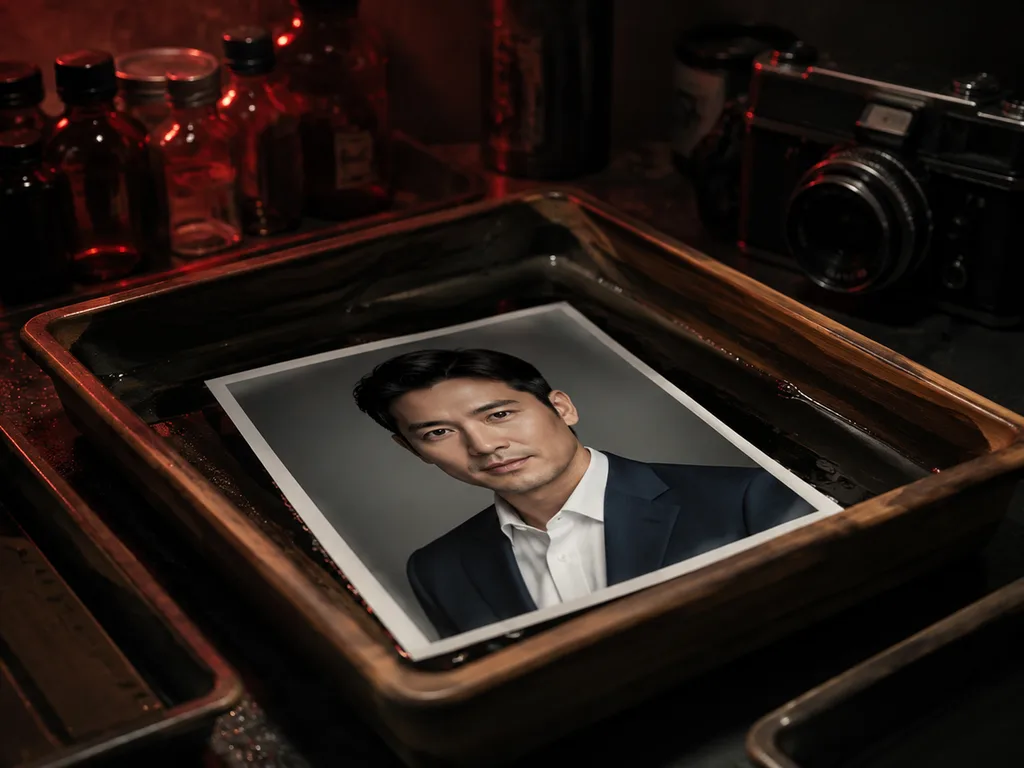
AIヘッドショット市場は2つの製品に分かれています。1つは20枚の自撮り写真をアップロードさせるスタジオ型で、1セッションあたり40ドルを課金するもの。もう1つは、存在しない人物を生成するテキスト-to-画像ジェネレーター型です。そして、あまり注目されていない第3の選択肢があります。テキストによる説明からプロフェッショナルなヘッドショット品質のポートレートを生成するもので、自分用のアバターとして、あるいはブランド・チーム・コンテンツのためのペルソナ画像として利用できます。本ガイドではその両方、つまりヘッドショットをプロフェッショナルに感じさせる要素と、そのためのプロンプト作成方法について解説します。
<think>The user wants me to translate a blog fragment about professional headshots into natural Japanese, following specific rules. Let me carefully translate this while maintaining all markdown syntax, brand names, and formatting.
Let me translate each section:
Title: "What makes a headshot look professional" - どのような写真が見栄えの良いプロフィール写真か
The intro: "Corporate photography has an unwritten spec. Deviate and the image reads as casual, no matter how sharp it is:" - ビジネス写真には暗黙のルールがあります。それから外れれば、どれほどシャープでもカジュアルに見えてしまいます:
The bullet points need careful translation:
- Lighting: soft, directional, from a large source at 30–45° — the classic window or softbox position. Flat front-lighting reads as webcam; hard light reads as edgy.
- Background: neutral. Light gray, deep gray, or softly blurred office/environmental. Busy backgrounds kill the "professional" read instantly.
- Wardrobe: one structured element — a blazer, a collar, a clean knit. The camera crops mid-chest, so fit matters more than fashion.
- Crop: head and shoulders, eyes on the upper third line, space above the hair.
- Expression: engaged neutrality — the "about to speak" face, not the "say cheese" face.
Let me craft natural Japanese translations:
- ライティング(照明): 柔らかく指向性のある光で、大きな光源から30〜45度の角度で当てる — 定番の窓際やソフトボックスの位置。フラットな正面光はウェブカメラ風になり、強い光はエッジの効いた印象になります。
- 背景: ニュートラルに。明るいグレー、ダークグレー、または柔らかくぼかしたオフィス・環境背景。賑やかな背景は一瞬で「プロフェッショナル」な印象を損ないます。
- 衣装: 構造的な要素を一つ — ブレザー、襟元、きれいなニットなど。カメラは胸元あたりでクロップ(切り取り)されるため、シルエットのフィット感の方がトレンドより重要です。
- クロップ(構図): 頭と肩が収まり、目は上三分の一の位置、髪の上に余白を持たせます。
- 表情: 自然体の中立的な表情 — 「何か言おうとしている」顔で、「チーズ」の笑顔ではありません。
Let me refine these translations to sound more natural and professional in Japanese.</think>
どのような写真が見栄えの良いプロフィール写真か
ビジネス写真には暗黙のルールがあります。それから外れれば、どれほどシャープでもカジュアルに見えてしまいます。
- ライティング(照明): 柔らかく指向性のある光で、大きな光源から30〜45度の角度で当てる——定番の窓際やソフトボックスの位置です。フラットな正面光はウェブカメラ風になり、ハードライトはエッジの効いた印象になります。
- 背景: ニュートラルに。明るいグレー、ダークグレー、または柔らかくぼかしたオフィス・環境の背景。賑やかな背景は一瞬で「プロフェッショナル」な印象を損ないます。
- 衣装: 構造的な要素を一つ——ブレザー、襟元、きれいなニットなど。カメラは胸元あたりでクロップ(切り取り)されるため、シルエットのフィット感の方がトレンドより重要です。
- クロップ(構図): 頭と肩が収まり、目は上三分の一の位置、髪の上に余白を持たせます。
- 表情: 自然体の中立的な表情——「何か言おうとしている」顔で、「はい、チーズ」の笑顔ではありません。
<think>The user wants me to translate an article fragment about prompting for corporate headshots into natural Japanese. Let me carefully translate this while maintaining all markdown syntax, URLs, and the brand name "GLMImage".
Let me translate:
- "Prompting the corporate look" → ビジネス風の見た目を引き出すプロンプト
- "Translate the spec into prompt language:" → 仕様をプロンプトの言葉に置き換えます:
- The prompt itself → translate naturally
- "That single sentence reliably lands in professional territory." → その一文だけでも、確実にプロフェッショナルな仕上がりになります。
- "The lens line matters more than it seems" → レンズの指定は思われている以上に重要です
- "pulls the model toward portrait-photography conventions" → モデルをポートレート写真の慣習に沿った方向へ導きます
- "including flattering facial proportions" → 顔の比率を魅力的に見せる効果を含みます
Let me craft the Japanese version:
For the prompt itself:
"Professional corporate headshot of a [description], soft directional window light from camera left, neutral light-gray studio background, navy blazer over a white shirt, head-and-shoulders framing, confident approachable expression, shallow depth of field, shot on 85mm lens."
Translation:
「[説明]の、プロフェッショナルなビジネス用ヘッドショット。カメラ左側からの柔らかく方向性のある窓からの光、中性的なライトグレーのスタジオ背景、白いシャツの上からの紺のブレザー、頭から肩までのフレーミング、自信があり親しみやすい表情、浅い被写界深度、85mmレンズで撮影。」
Actually, in image generation prompts, sometimes it's better to keep them as is or translate them naturally. Since the user wants it translated, I'll translate it naturally into Japanese prompt style.
Let me also think about the image alt text:
"A female female professional headshot on neutral background" → 「中立的な背景での女性のプロフェッショナルなヘッドショット」
Let me finalize the translation.</think>
ビジネス仕様のルックを引き出すプロンプト
仕様をプロンプトの言葉に置き換えてみます。
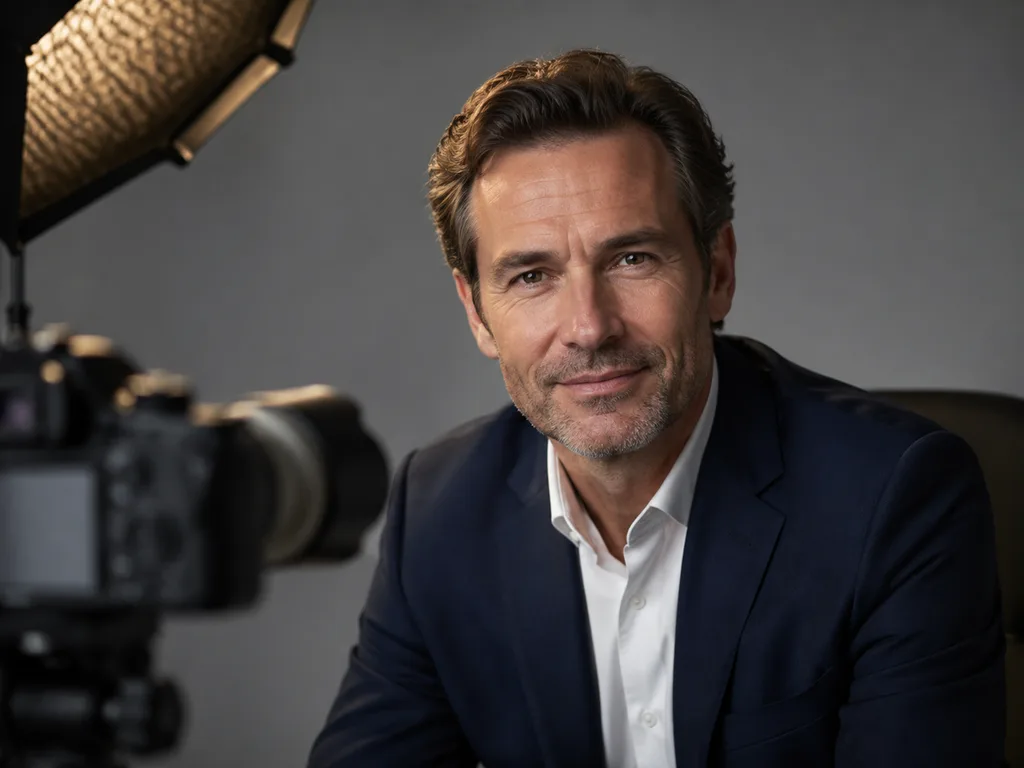
「[人物の説明]の、プロフェッショナルなビジネス用ヘッドショット。カメラ左側からの柔らかく方向性のある窓辺の光、ニュートラルなライトグレーのスタジオ背景、白いシャツに合わせた紺のブレザー、頭から肩までのフレーミング、自信にあふれ親しみやすい表情、浅い被写界深度、85mmレンズでの撮影」
この一文だけでも、驚くほど確実にプロフェッショナルな仕上がりを引き出せます。レンズの指定は見た目以上に重要な役割を果たしています。「85mm」という指定が、モデルをポートレート写真の作例へと導いてくれるため、自然と顔のバランスが整いやすいのです。
<think>The user wants me to translate a blog fragment about avatars and persona imagery into natural Japanese. Let me carefully translate this while maintaining all markdown syntax, URLs, and the brand name "GLMImage".
Key points to maintain:
- All markdown syntax
- URLs exactly as-is
- Brand name "GLMImage" untranslated
- Natural Japanese expression
- Complete translation, no summarization
Let me translate this:
Avatars vs. persona imagery
For a personal avatar from your own face, the honest route is still photo-based: take one good selfie in window light and enhance or restyle it with editing prompts — "professional headshot version of this photo, soft studio light, neutral gray background, keep my facial identity exactly." The style transfer workflows use the same mechanism.
For persona imagery — the team page of a two-person startup, course characters, brand mascots, testimonial-adjacent "customers" — text-to-image headshots are the main event. Generate a consistent cast by locking a shared style paragraph ("soft directional light, warm gray background, 85mm") and changing only the person description per image.
Japanese translation:
アバター vs. ペルソナ画像
自分の顔を使ったパーソナルアバターについては、やはり写真ベースが正直な方法です。窓際の光で良い自撮り写真を1枚撮り、編集プロンプトで加工したりスタイルを変えたりしましょう — 「この写真のプロフェッショナルヘッドショット版、ソフトなスタジオライト、ニュートラルなグレーの背景、顔の特徴はそのまま残す」。スタイル転送ワークフローも同じ仕組みを利用しています。
ペルソナ画像 — 2人 startupのチームページ、講座のキャラクター、ブランドマスコット、推薦者の近くに表示する「顧客」など — には、テキストから画像を生成するヘッドショットがメインとなります。共有のスタイル段落(「ソフトな directional light、温かみのあるグレー背景、85mm」)を固定し、画像ごとに人物描写だけを変えることで、一貫性のあるキャストを生成できます。
Let me refine this more naturally in Japanese:
アバター vs. ペルソナ画像
自分自身の顔を使ったパーソナルアバターの場合、正直な方法は今もやはり写真ベースです。窓際の光で良い自撮り写真を1枚撮り、編集プロンプトで加工・スタイル変更しましょう — 「この写真のプロフェッショナルなヘッドショット版、ソフトなスタジオライト、ニュートラルグレーの背景、顔の特徴はそのまま」。スタイル転送ワークフローも同じ仕組みを使っています。
ペルソナ画像 — 2人 startupのチームページ、講座のキャラクター、ブランドマスコット、推薦文の近くに表示する「顧客」など — では、テキストからの画像生成ヘッドショットがメインとなります。共有スタイル段落(「ソフトな指向性光、温かみのあるグレー背景、85mm」)を固定し、画像ごとに人物描写のみを変更することで、一貫性のあるキャスティングが可能になります。
Let me check again - the user wants natural, fluent Japanese. Let me polish:
「2人 startup」should be「2人のスタートアップ」in Japanese.
"85mm" - this refers to a focal length, should be kept as is or translated as「85mm焦点距離」but since it's a technical term, keeping it as is is fine.
Let me finalize.</think>
アバター vs. ペルソナ画像
自分自身の顔を使ったパーソナルアバターの場合、正直な方法は今もやはり写真ベースです。窓際の光で良い自撮り写真を1枚撮り、編集プロンプトで加工・スタイル変更をしましょう — 「この写真のプロフェッショナルなヘッドショット版、ソフトなスタジオライト、ニュートラルグレーの背景、顔の特徴はそのまま残す」。スタイル転送ワークフローも同じ仕組みを利用しています。
ペルソナ画像 — 2人スタートアップのチームページ、講座のキャラクター、ブランドマスコット、推薦文のそばに掲載する「顧客」など — においては、テキストからの画像生成によるヘッドショットがメインとなります。共有のスタイル段落(「ソフトな指向性ライト、温かみのあるグレー背景、85mm」)を固定し、画像ごとに人物描写のみを変更することで、一貫性のあるキャスティングを生成できます。
<think>The user wants me to translate a blog fragment about AI headshots into natural, fluent Japanese. I need to:
- Keep all markdown syntax intact
- Keep URLs, image paths, and HTML tags exactly as-is
- Keep code blocks untranslated (none here)
- Keep "GLMImage" untranslated
- Use native, fluent Japanese expression
- Output only the translated markdown
Let me translate this naturally into Japanese:
The fragment is about a technique for maintaining consistency across team headshots using a template with a variable slot.
Let me write this in natural Japanese:
チームのための一貫性のコツ
チームはワンセッションで撮影したかのように見えるセットが必要です。そのコツは、変数のスロットを一つ持つテンプレートです:
共有部分:「プロのヘッドショット、カメラ左からの柔らかい指向性のある窓光、温かみのあるグレーのシームレス背景、頭から肩までのクロップ、85mmレンズ、わずかな笑顔を含むニュートラルな表情」
変数:「40代の女性、短い暗い髪、チャコール色のブレザー着用」/「30代の男性、眼鏡着用、ネイビーのセーター」/「50代の女性、銀髪、バーガンディ色のブラウス」
同じ光、同じ背景、同じクロップ — ただし人物は異なります。セットは、各人物がプロンプトであるにもかかわらず、ワンスタジオセッションのように見えます。
Wait, I need to keep the image alt text - the rule says keep URLs and image paths exactly as-is. The alt text is part of the image markdown. Let me think about this. The alt text describes the image - I should probably translate that since it's the descriptive text, but the URL itself stays. Actually, looking at the rules again, it says "Keep every URL, image path, and HTML tag EXACTLY as-is." The alt text is between the brackets in markdown - that's not a URL or image path. So I should translate the alt text.
Let me refine the translation to be more natural Japanese:
For the shared template, in Japanese photography context, terms like "soft directional window light" - 柔らかい指向性のある窓光 is okay but a bit awkward. Better: 「柔らかな方向性のある窓光」 or 「柔らかいサイドライト(窓からの)」
"warm gray seamless background" - 「温かみのあるグレーのシームレス背景」 is good
"head-and-shoulders crop" - 「肩から上のクロップ」 or 「胸から上のクロップ」 - Japanese photography terms usually say 胸から上 (bust shot) for head-and-shoulders
"neutral expression with a slight smile" - 「わずかな微笑みを浮かべたニュートラルな表情」
Let me reconsider and make it more natural:
共有部分: 「プロのヘッドショット、カメラ左からの柔らかい指向性窓光、温かみのあるグレーのシームレス背景、胸から上の構図、85mmレンズ、ほのかな微笑みのニュートラルな表情」
変数部分:
「40代女性、短い黒髪、チャコールグレーのブレザー」
「30代男性、眼鏡着用、ネイビーのセーター」
「50代女性、シルバーヘア、バーガンディのブラウス」
Let me also reconsider "professional headshot" - in Japanese this is often 「プロフィール写真」 or kept as is. I'll use 「ビジネスポートレート」 or 「プロフィール用ヘッドショット」
Actually, since this is a blog about AI headshot generation, using 「ヘッドショット」 would be fine and natural. Or I could write 「プロフィール写真」.
Let me finalize:
チームで揃えるための一貫性のコツ
チーム写真では、全員が同じセッションで撮影したかのように見える必要があります。そのコツは、変数を一つだけ差し替えるテンプレート方式です。
共通プロンプト:
「プロフェッショナルなヘッドショット、カメラ左からの柔らかい指向性を持った窓光、温かみのあるグレーのシームレス背景、胸から上のクロップ、85mmレンズ、わずかに微笑んだ自然な表情」
変数部分:
「40代の女性、短い黒髪、チャコール色のブレザー」
「30代の男性、メガネ着用、ネイビーのセーター」
「50代の女性、シルバーヘア、バーガンディのブラウス」
同じ光、同じ背景、同じ構図——人物だけが変わります。一人一人がプロンプトで構成されているにもかかわらず、まるで同じスタジオで撮影したかのように見えるセットになります。
I think this is good. Let me check once more.
Actually "ワンセッション" might be too casual. Let me think - it's a blog style, so it's okay. Or I could say 「一回の撮影セッションで」.
Let me also consider the alt text - "A male professional headshot with soft window light" - 「窓からの柔らかな光で撮影した男性のプロフェッショナルヘッドショット」
I think my translation is good. Let me finalize it.</think>
チーム写真で一貫性を出すためのコツ
チーム写真は、全員が同じセッションで撮影したかのように見える必要があります。その秘訣は、変数を1つだけ差し替えるテンプレート方式です。
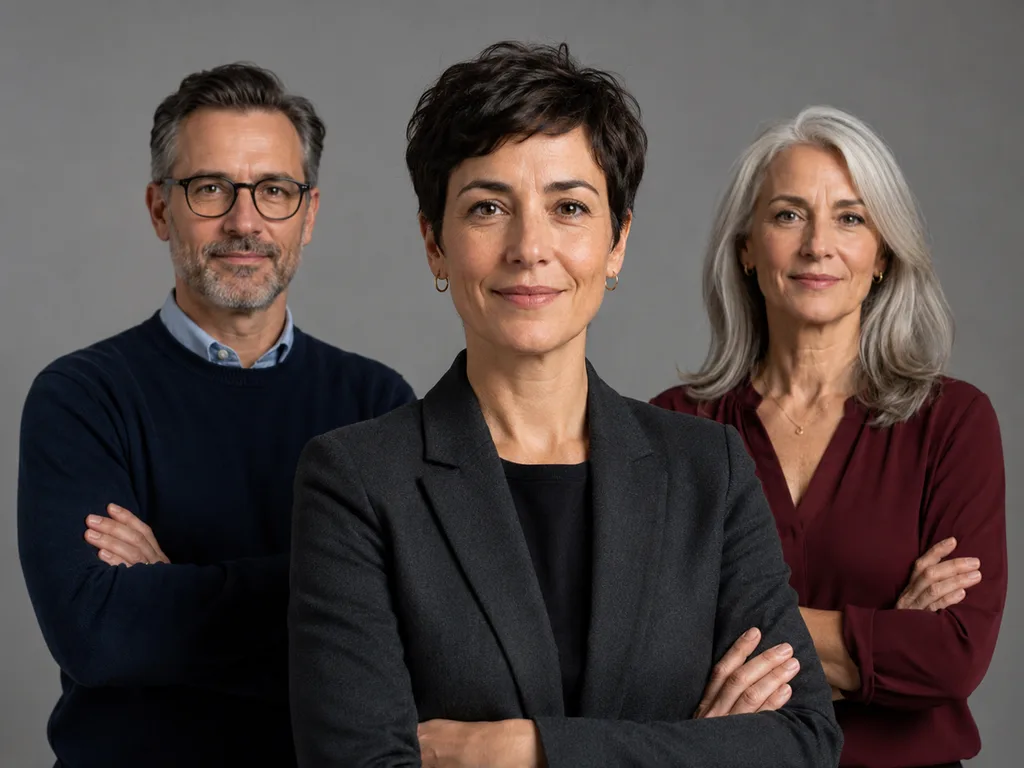
共通プロンプト:「プロフェッショナルなヘッドショット、カメラ左からの柔らかい指向性のある窓光、温かみのあるグレーのシームレス背景、胸から上のクロップ、85mmレンズ、わずかに微笑んだニュートラルな表情」
変数部分:「40代の女性、短い黒髪、チャコールグレーのブレザー」/「30代の男性、メガネ着用、ネイビーのセーター」/「50代の女性、シルバーヘア、バーガンディのブラウス」
同じ光、同じ背景、同じ構図——変わるのは人物だけです。一人一人がプロンプトで構成されているにもかかわらず、まるで同じスタジオで撮影したかのように見えるセットになります。
<think>
We need translate only markdown. Need natural Japanese, complete. Need perhaps title. "Where AI headshots are actually used" -> AI顔写真が実際に使われている場所. LinkedIn remains headline, but volume uses quieter. "主流はLinkedInだが、数は..." Maybe "利用例の多さで見ると..." Let's carefully render.
Fragment:
Where AI headshots are actually used
LinkedIn remains the headline, but the volume uses are quieter: author bios on company blogs, podcast guest cards, course instructor imagery, "meet the team" pages for bootstrapped companies, persona illustrations in decks and sales one-pagers. Designers also use them as realistic placeholders in mockups — far better than the same three stock faces every product page uses.
One line worth drawing yourself: don't present a generated person as a real team member, a real testimonial author, or a real customer. Persona imagery labeled as illustrative is normal practice; fabricated people presented as real is the kind of thing that ends up in a screenshot with a red circle around it.
Need perhaps "一文、手書き..." no. "One line worth drawing yourself" idiom "強調したいのは..." Keep quoted. Need translate quotations Japanese curly. URLs none. Exact markdown intact. Could use "見出し扱い". Let's produce.
</think>
AI顔写真が実際に使われている場所
いまだに中心的と言えるのはLinkedInだが、より多くの活用例は目立たないところにある。企業ブログの著者紹介、ポッドキャストのゲスト紹介カード、コース講師の写真、Bootstrapで立ち上げた企業の「チーム紹介」ページ、資料や営業向け一枚資料に使われるペルソナ画像などだ。デザイナーはまた、モックアップ内のリアルなプレースホルダーとしても使用する。すべての商品ページで見かける同じ3人のストックフォト顔写真よりは、るかにましだ。
ひとつ強調しておきたいのは、生成した人物を実在するチームメンバー、推薦文の著者、実在の顧客として紹介しないことだ。ペルソナ画像であることを明示するなら、ごく一般的な運用だ。一方、実在しない人物を実在するかのように見せると、最終的には誰かに赤丸で囲まれたスクリーンショットとして広まることになる。
<think>
We need translate only markdown, preserve bold. Need natural Japanese complete. Brand irrelevant. Translate #1 maybe 最大の. Headshot AI portrait. Need retain quotes likely Japanese punctuation but markdown intact. "Your lighting line" maybe 照明に関する記述. Directional. Candidate 3枚. Let's craft. Ensure bold entire phrases.
</think>
よくある失敗とその修正方法
プラスチックのような肌。「自然な肌の質感、見える毛穴、レタッチなし」と追加しましょう。エアブラシで加工したような仕上がりは、AIが生成した証明写真だと分かる最大の特徴です。
死んだような目。「目のキャッチライト、引き込まれた表情」と追加しましょう。目にハイライトがないと、うつろに見えてしまいます。
ウェブカメラのような平坦さ。 照明に関する記述が欠けているか、光源が正面からのものになっている可能性があります。斜め方向から当てる光线が解決策です。
不自然な衣服の形状。 モデルでは、ラペルや襟の生成がまだまだ不安定です。シンプルなニット素材を優先するか、「正しい襟とラペルの形状」と追加しましょう。また、3つの候補を生成すると、そのうち1つは肩まわりが正しく仕上がるはずです。
<think>The user wants me to translate an article fragment about a workflow (likely for generating portraits/headshots) into natural Japanese. Let me carefully translate each part while preserving the markdown structure.
The fragment contains:
- A heading "## The workflow"
- A numbered list (5 items)
- A paragraph with a link
Let me translate:
-
"Write the spec sentence: person + light + background + wardrobe + crop + expression."
→ 仕様文を書く:人物 + 光 + 背景 + 衣装 + クロップ + 表情 -
"Add the anti-tell clauses: skin texture, catchlights."
→ 「AIっぽい」破绽を防ぐ要素を追加:肌の質感、キャッチライト(瞳の輝き) -
"Generate four candidates; check eyes and collar first."
→ 4つの候補を生成。まず目元と襟元を確認。 -
"Crop square at 400×400+ for avatars; keep the 3:4 original for bios."
→ アバター用は400×400以上の正方形にクロップ。プロフィール用は元の3:4比を維持。 -
"For a team set, lock the shared paragraph and vary only the person."
→ チーム一括生成の場合は、共通プロンプトを固定し、人物部分のみ変更。
For the link text "[Try the portrait & headshot generator →]" - this is UI/link text, so I should translate it:
"ポートレート&ヘッドショット生成ツールを試す →"
Let me refine for natural Japanese:
ワークフロー
- 仕様文を書く:人物 + 光 + 背景 + 衣装 + クロップ + 表情。
- 「AIらしさ」を消す要素を追加:肌のテクスチャ、キャッチライト。
- 4つの候補を生成し、まず目と襟元をチェック。
- アバター用は400×400以上の正方形にクロップ。プロフィール用は元の3:4比を維持。
- チーム一括撮影の場合は、共通プロンプトを固定し、人物だけを変える。
ポートレート&ヘッドショット生成ツールを試す → — 無料で使い始められ、ポートレート専用ライティングプリセットも用意。
Let me double-check:
- "anti-tell clauses" - this means clauses/features that prevent the AI image from looking obviously AI-generated. "tell" here means something that reveals AI origin. So "AIだとバレないための要素" or "AIっぽさを消す要素" works well.
- "catchlights" - the highlights/reflections in eyes that make photos look natural. キャッチライト is the standard term in Japanese photography.
- "lock the shared paragraph" - 共通プロンプトを固定する
- "vary only the person" - 人物部分のみ変更する
Let me finalize the translation. I want it to sound natural and professional, like a Japanese blog.
Final version:
ワークフロー
- 仕様文を書く:人物 + 光 + 背景 + 衣装 + クロップ + 表情。
- AIらしさを消す要素を追記:肌のテクスチャ、キャッチライト。
- 4つの候補を生成し、まず目と襟元をチェック。
- アバター用は400×400以上の正方形にクロップ。プロフィール用は3:4の元画像をそのまま使用。
- チーム一括撮影の場合は、共通プロンプトを固定し、人物部分のみ変更する。
ポートレート&ヘッドショット生成ツールを試す → — 無料で始められ、ポートレート専用ライティングプリセットも搭載。
I think this reads naturally in Japanese. The URL is preserved exactly as required.</think>
ワークフロー
- 仕様文を書く:人物 + 光 + 背景 + 衣装 + クロップ + 表情。
- AIらしさを消す要素を追記:肌のテクスチャ、キャッチライト。
- 4つの候補を生成し、まず目と襟元をチェック。
- アバター用は400×400以上の正方形にクロップ。プロフィール用は3:4の元画像のまま使う。
- チーム一括撮影の場合は、共通プロンプトを固定し、人物部分のみ変更する。
ポートレート&ヘッドショット生成ツールを試す → — 無料で始められ、ポートレート専用のライティングプリセットも用意。
<think>The user wants me to translate an FAQ section about AI headshots into natural, fluent Japanese. I need to:
- Keep all markdown syntax intact
- Keep URLs, image paths, HTML tags as-is
- Keep code blocks untranslated
- Keep "GLMImage" untranslated
- Use native, fluent Japanese
- Output only the translated markdown
Let me translate this FAQ section naturally into Japanese.</think>
よくある質問
AIで自撮りからヘッドショットを作れますか?
はい、できます ― プロンプトに「顔の同一性を厳密に維持する」と入れて編集モデルを使えば可能です。何度か試してみてください。元写真の品質によって人物の再現度は変わります。窓からの自然光が当たる影の穏やかな自撮りが最も仕上がりが良いです。
AIヘッドショットって偽物っぽく見えませんか?
無編集のものは往々にしてそう見えます ― プラスチックのような肌と生き気のない目がその証拠です。上記のプロンプトの工夫でその両方を改善でき、後処理でフィルム風の微粒子ノイズを加えればさらに自然になります。
どんな背景が最も安全ですか?
暖色系または寒色系の中性グレーを、やわらかくトーン補正して使うのがおすすめです。あらゆるウェブサイトにマッチし、オフィスの背景のように時代遅れに見えることもありません。
AIヘッドショットはLinkedInで使えますか?
自分自身のスタイライズされたアバターであれば、基本的に問題ありません。生成された別人を自分として提示するのは判断が分かれる上、風評上のリスクを伴います。安全策は、あなたの実顔を保持する写真ベースの編集です。
どのサイズが必要ですか?
アバター用は400×400の正方形が最低サイズ。プロフィールページ用は800×1000のポートレートが目安です。1024クラスで生成してからクロップしてください ― 小さなヘッドショットを引き伸ばしてはいけません。顔が破綻します。








