
LIFE SCIENCES
Cell & Molecular Biology
Cells and organelles — the classic labeled-diagram subject.
- Cells
- Organelles
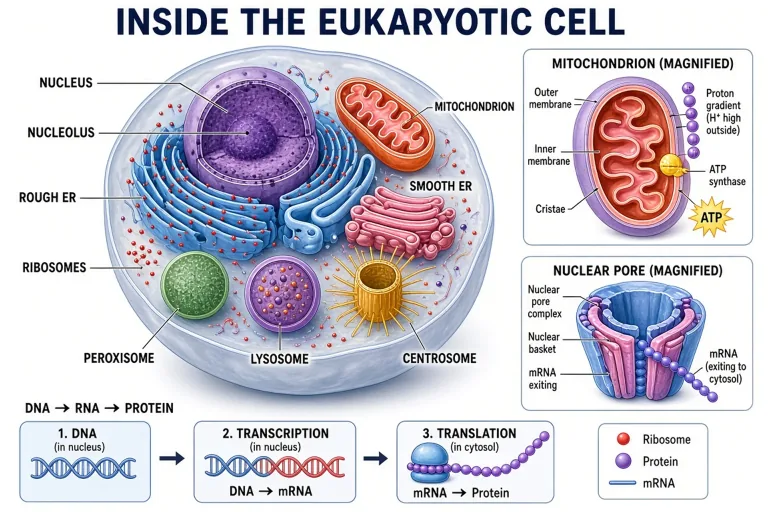
Text to Labeled Figure · Label-First
The label is the contract: name the parts in your prompt and get a diagram where every label renders as clean, readable text on leader lines — cells, organs, systems, cycles.

LIFE SCIENCES
Cells and organelles — the classic labeled-diagram subject.
LIFE SCIENCES
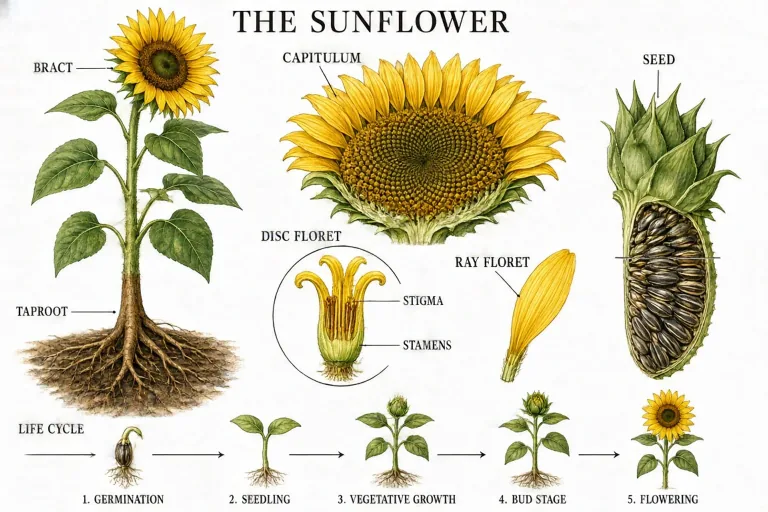
Flower and leaf structures with botanical terms.
LIFE SCIENCES
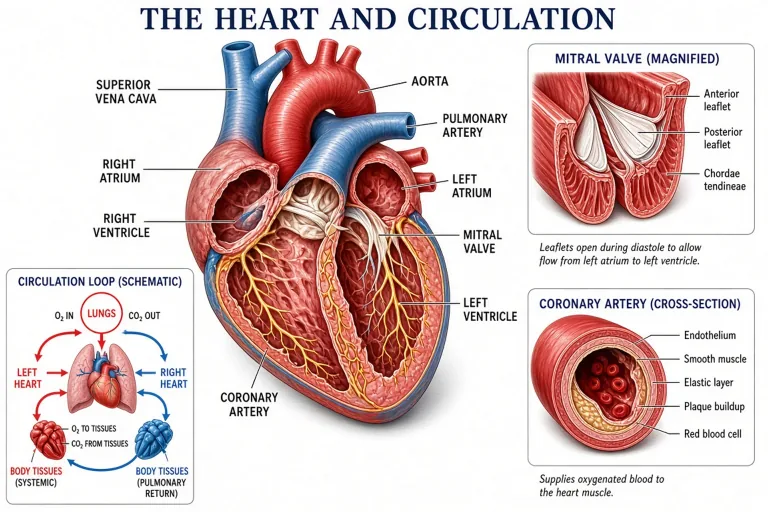
Organs and systems with standard anatomical labels.
Made with GLMImage
Real results shared by creators who used this exact workflow. Tap any image to view its prompt.
 Human heart blood flow (validation)
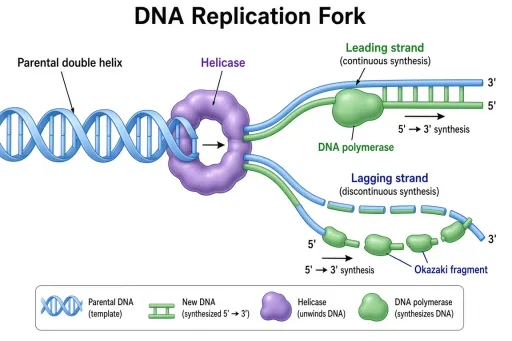 DNA replication fork (validation)
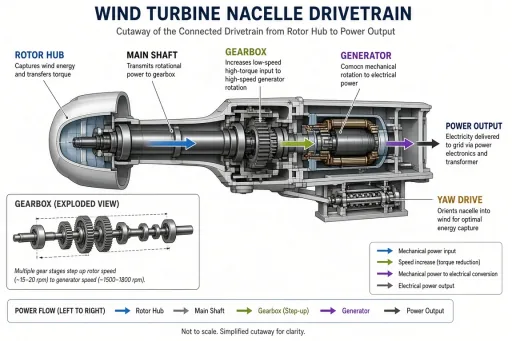 Wind turbine nacelle (validation)
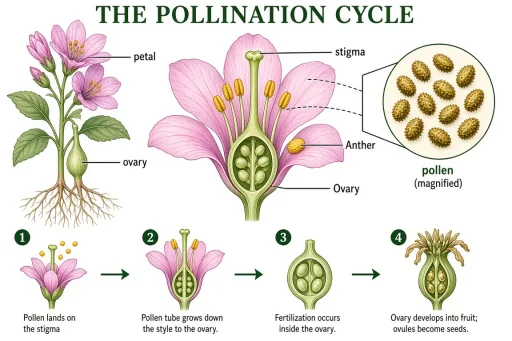 Pollination cycle (validation)
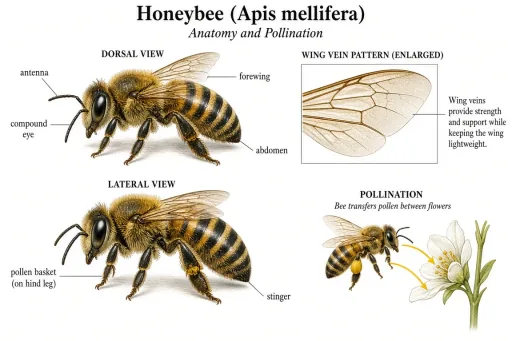 Honeybee anatomy (validation)
 Stratovolcano cross-section (validation)
 Coral bleaching and recovery (validation)
 Sun structure cutaway (validation)
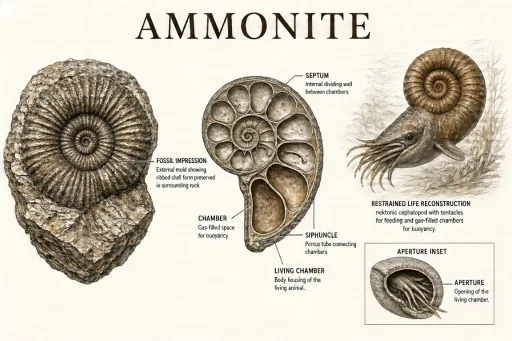 Ammonite comparison (validation)
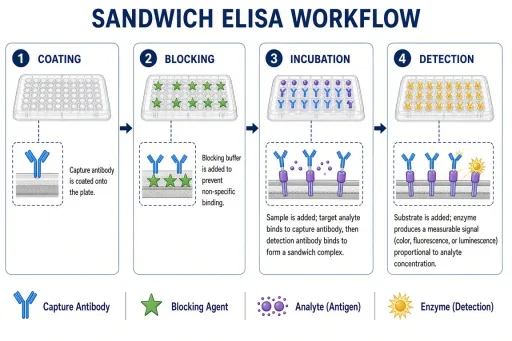 ELISA workflow (validation, free)
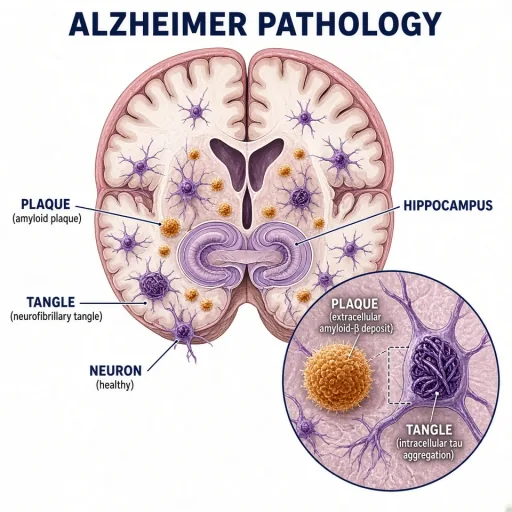 Alzheimer pathology in the hippocampus
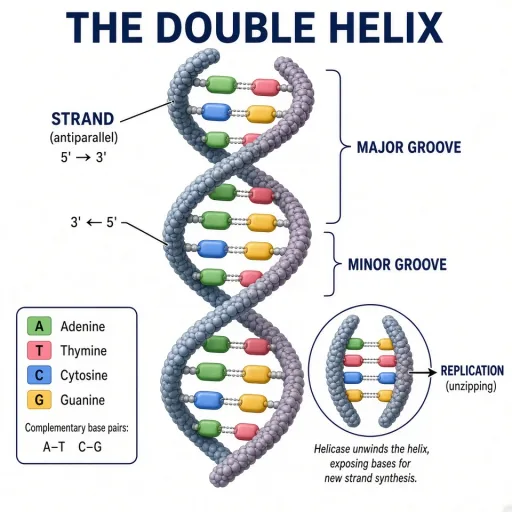 The DNA double helix
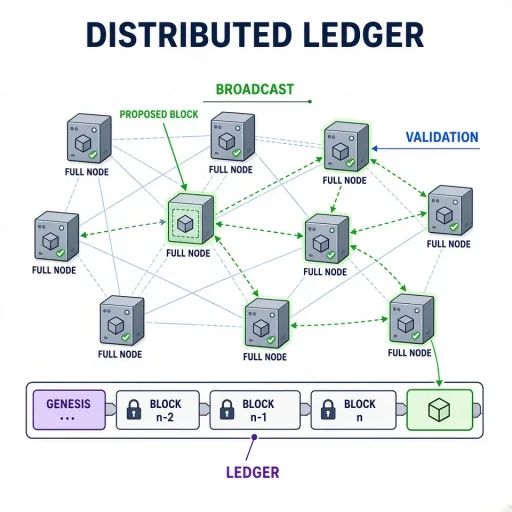 Blockchain network topology
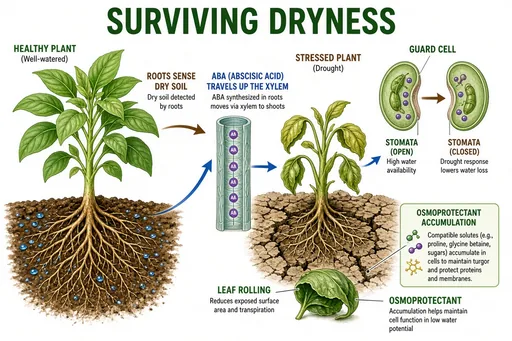 Plant drought response
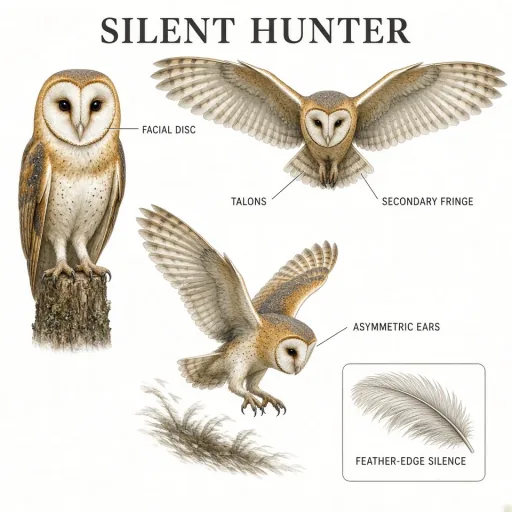 Barn owl hunting plate
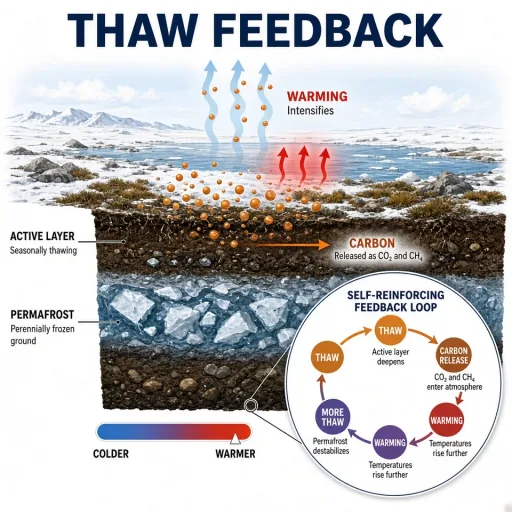 Permafrost thaw feedback
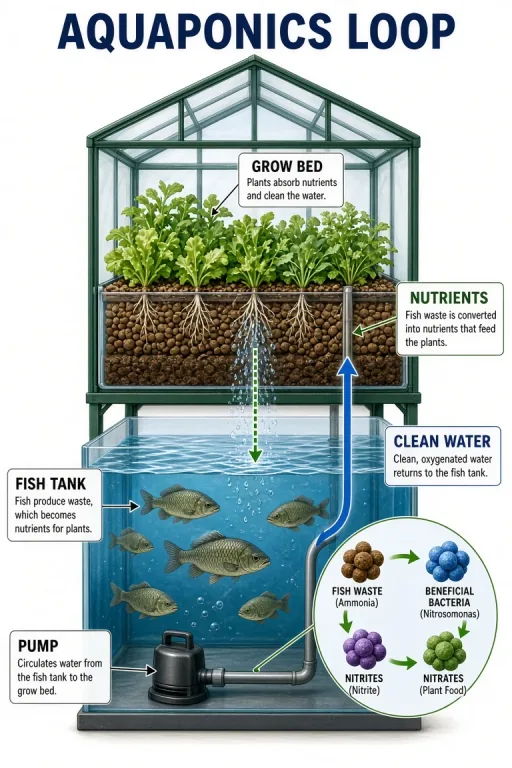 Aquaponics closed loop
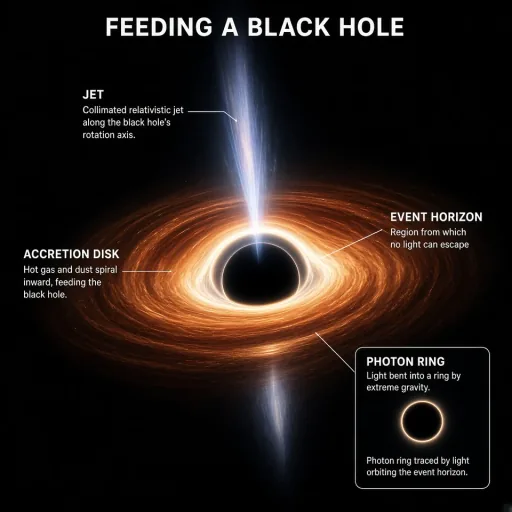 Black hole accretion disk
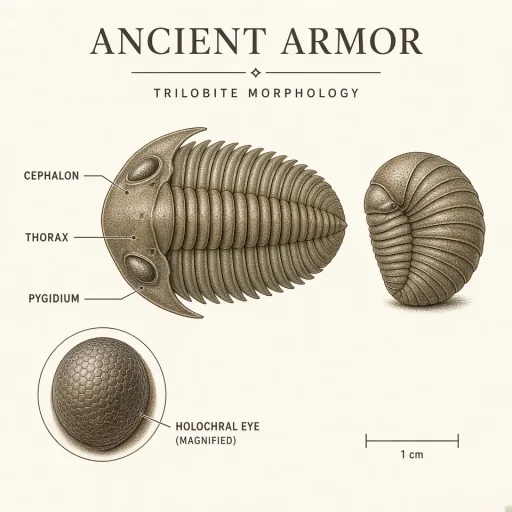 Trilobite morphology plate
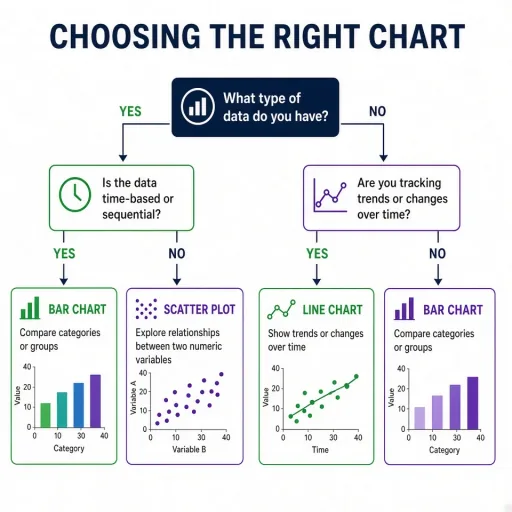 Peer review decision tree (validation, free)
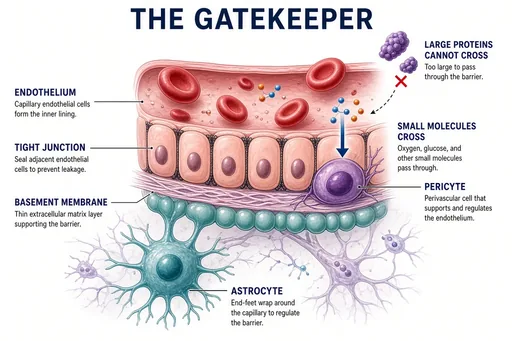 Blood-brain barrier concept
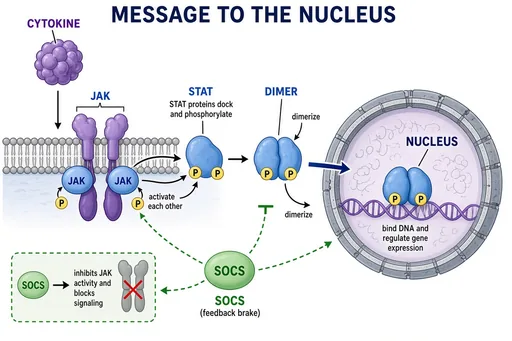 JAK-STAT signaling
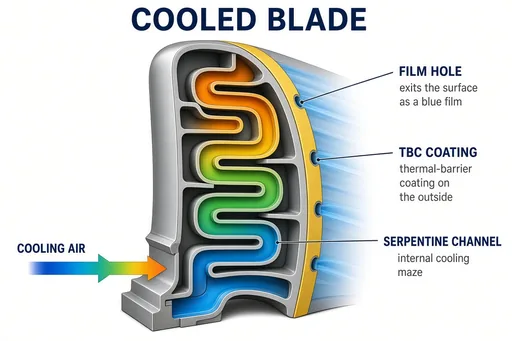 Turbine blade cooling channels
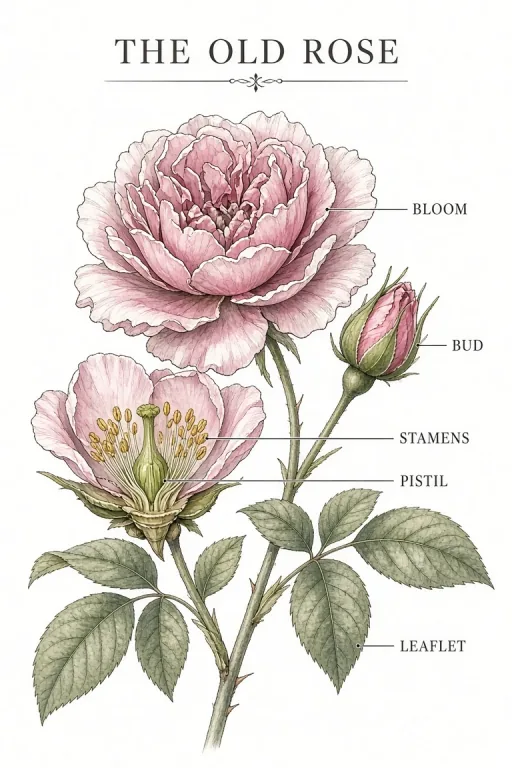 Heritage rose plate
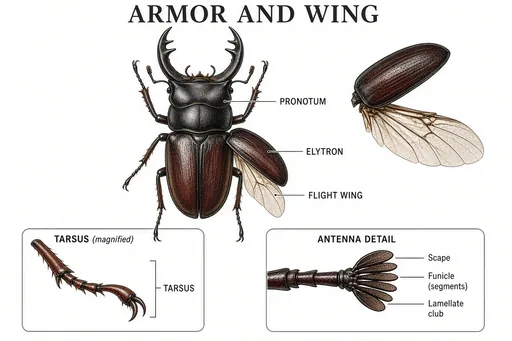 Beetle morphology plate
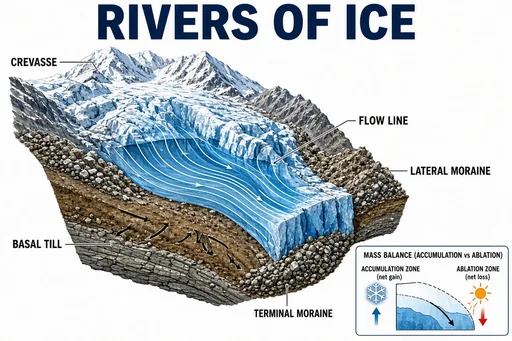 Glacier motion and moraines
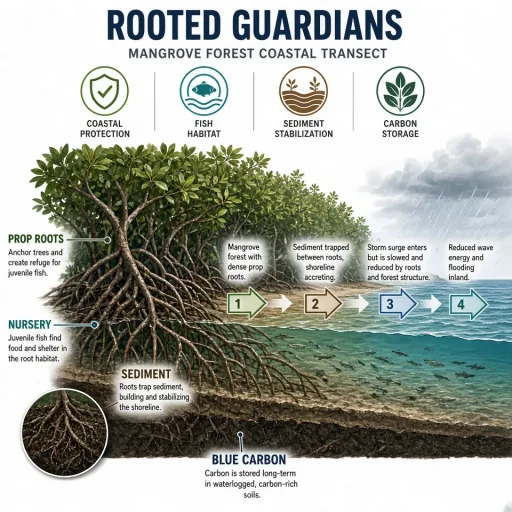 Mangrove ecosystem services
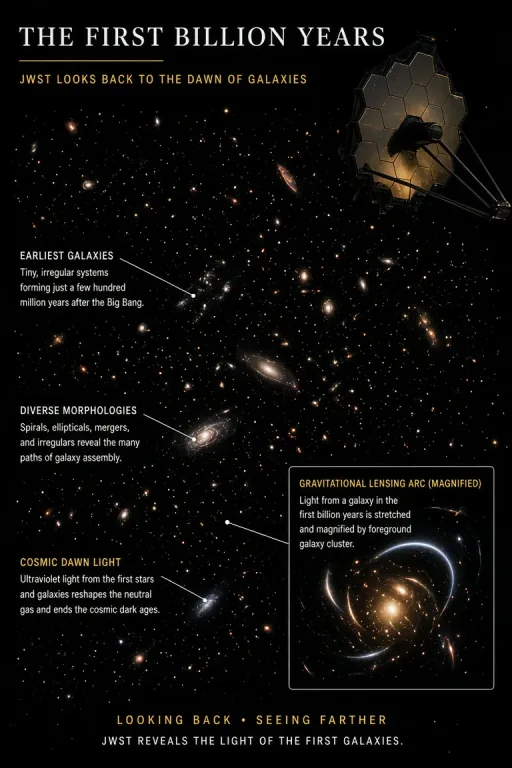 Webb deep field (cover art)
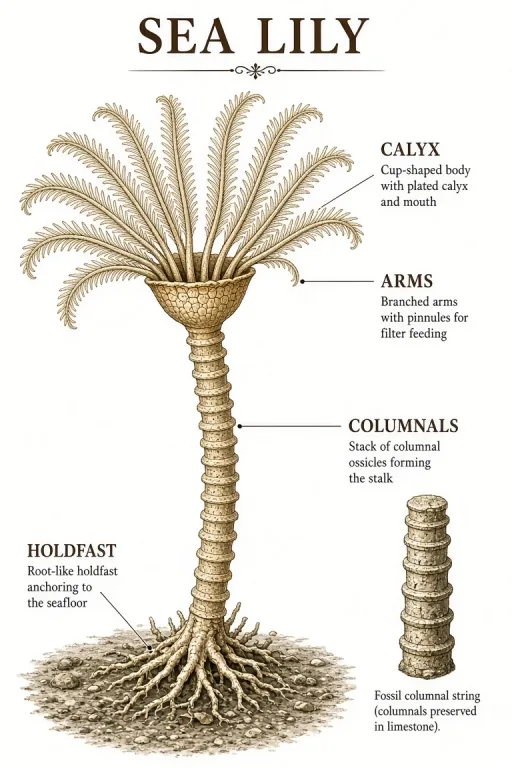 Crinoid reconstruction
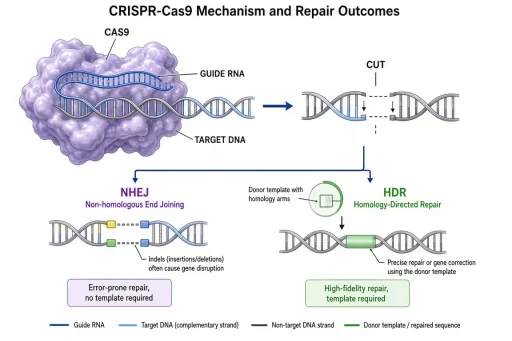 CRISPR-Cas9 mechanism (validation, free)
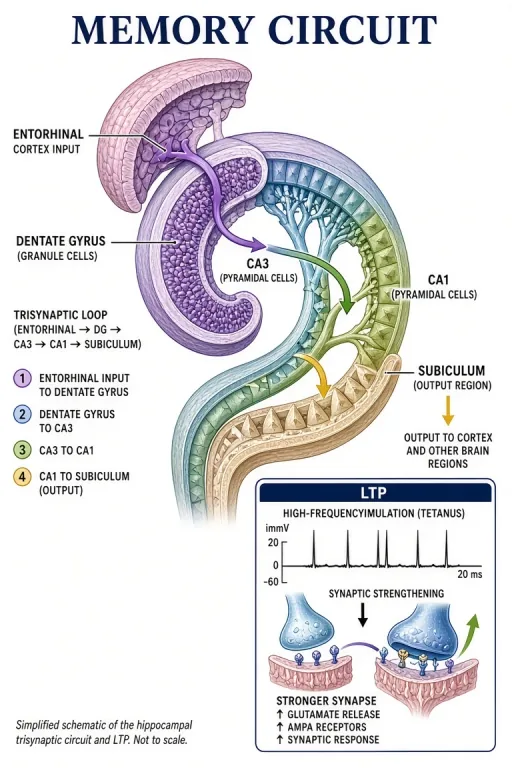 Hippocampus memory circuit
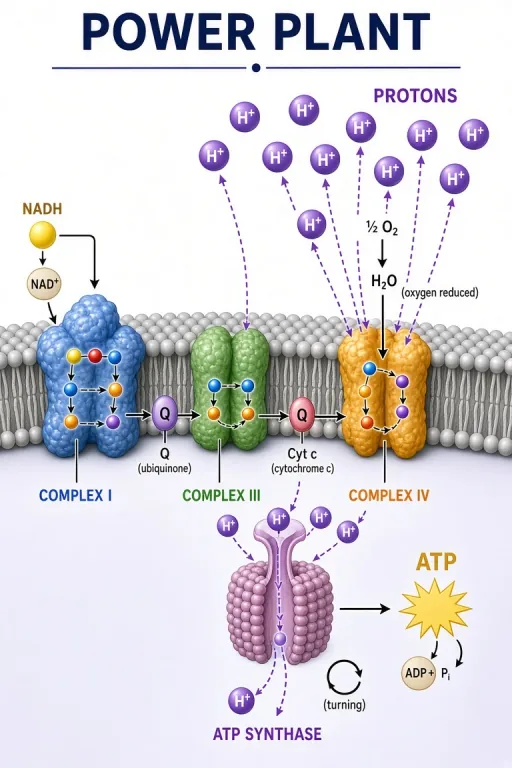 Mitochondrial electron transport chain
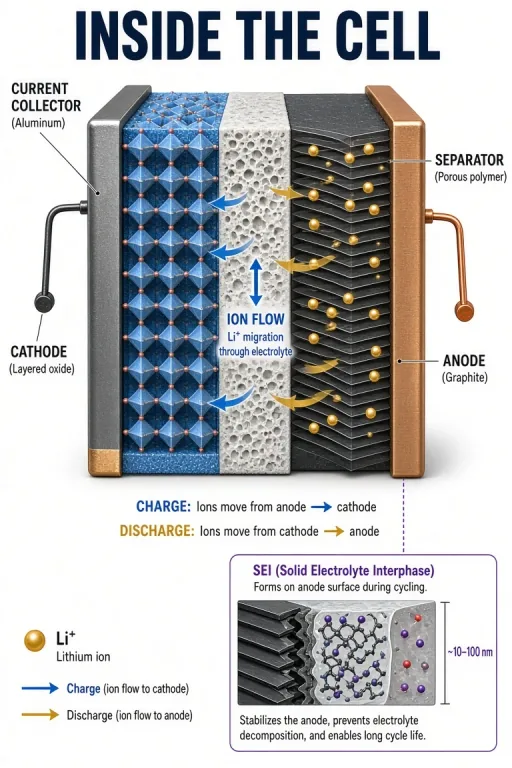 Lithium-ion battery cell
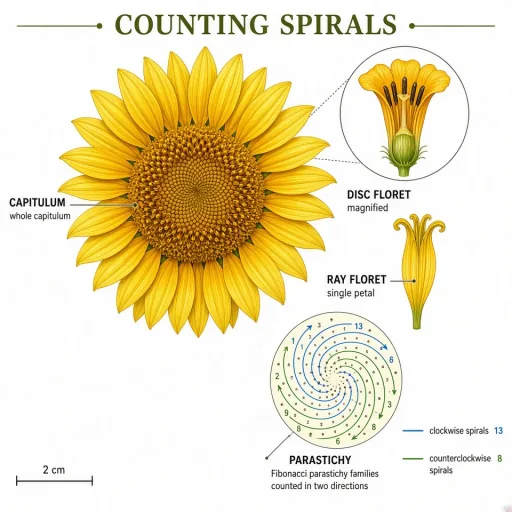 Sunflower phyllotaxis
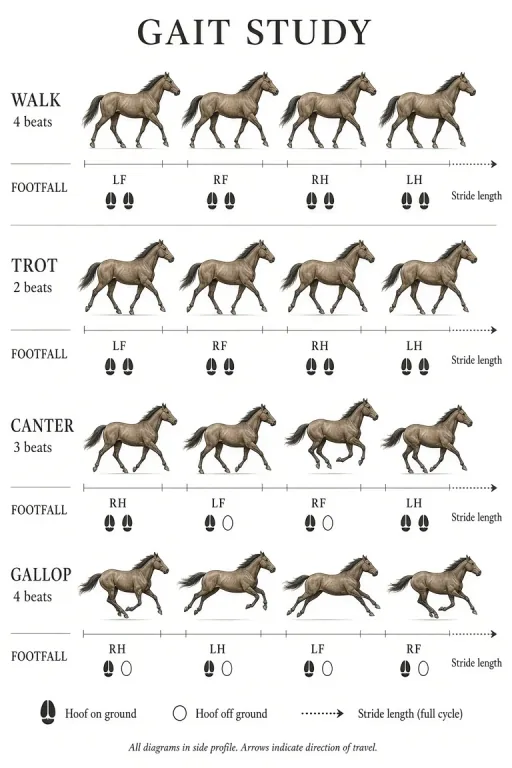 Horse gaits study
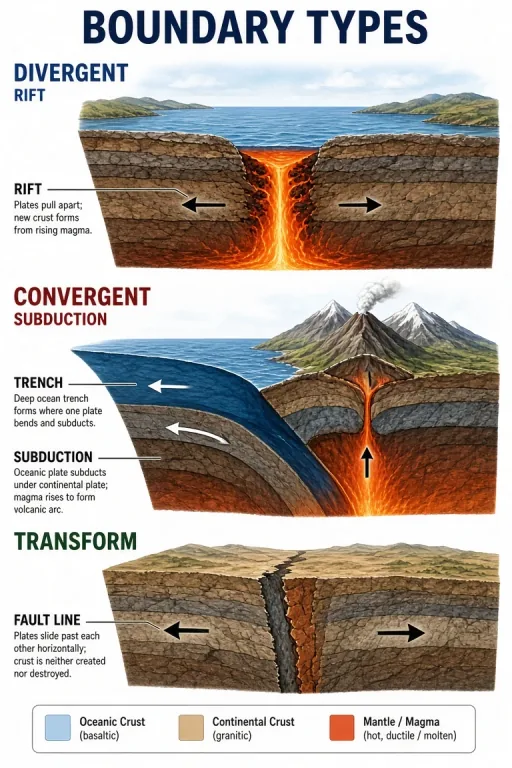 Three plate boundary types
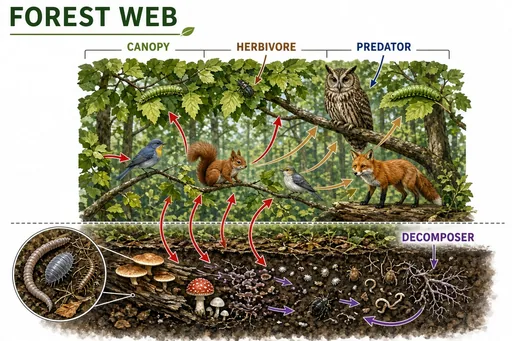 Temperate forest food web
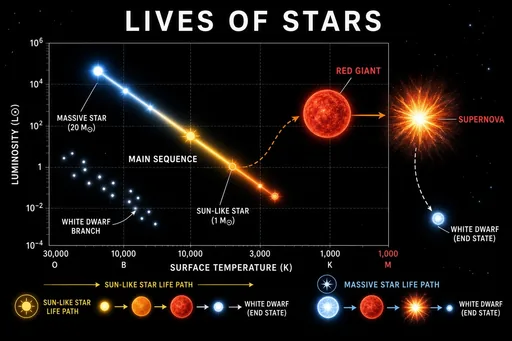 Star life cycle and the HR diagram
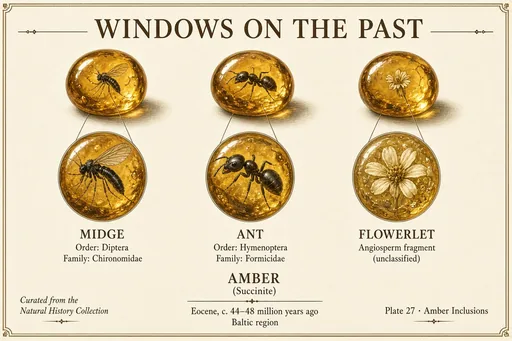 Amber inclusions gallery
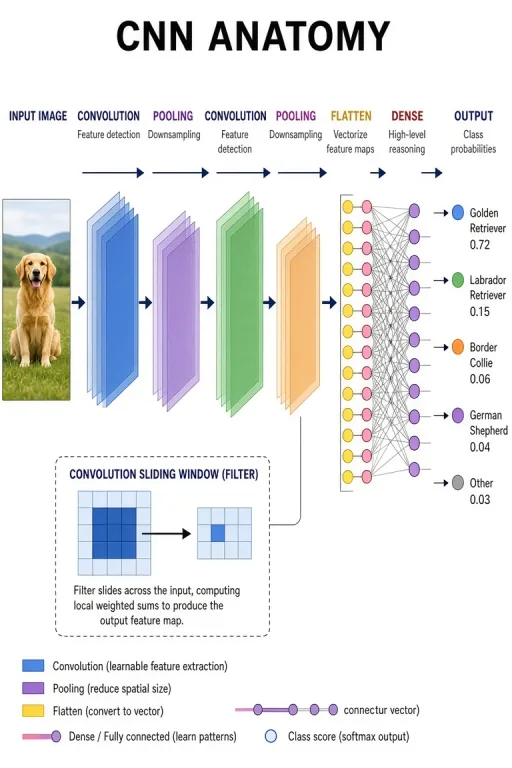 Convolutional network architecture
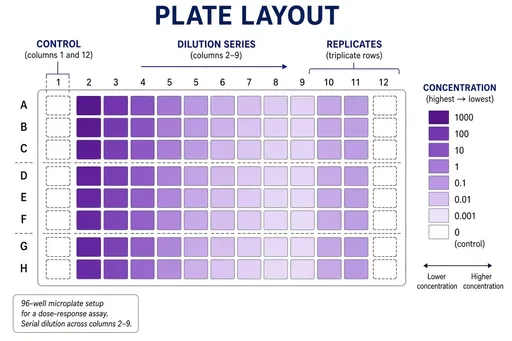 96-well plate assay layout
 Research conference poster session
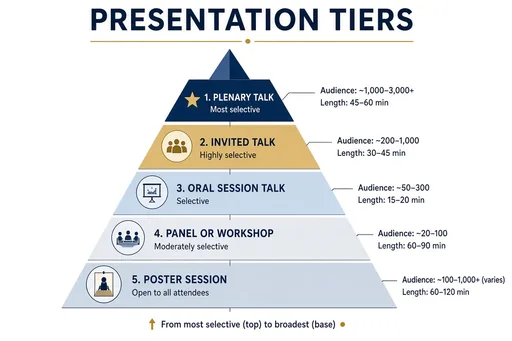 Conference presentation tiers
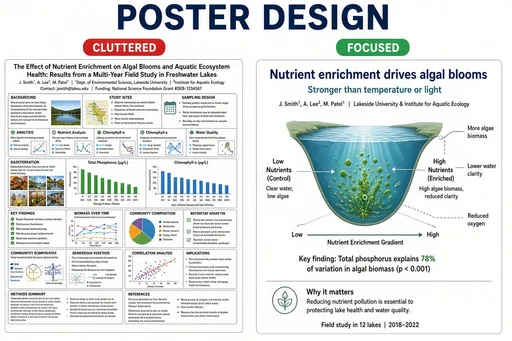 Strong vs weak research poster
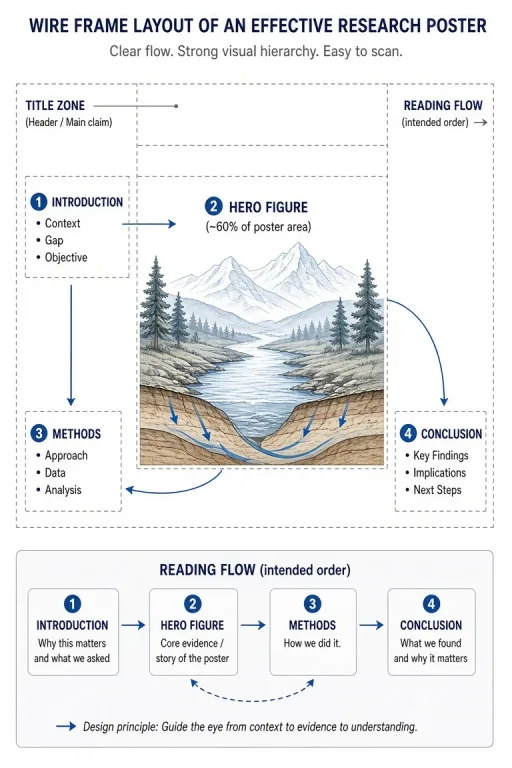 Hero-figure poster architecture
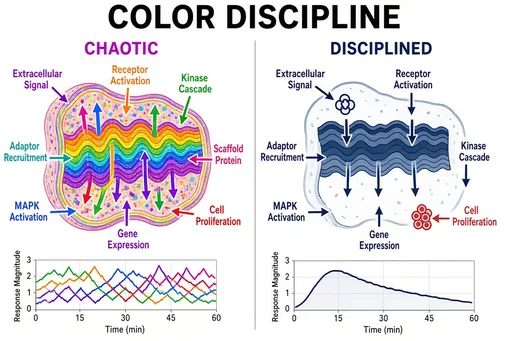 Color discipline in figures
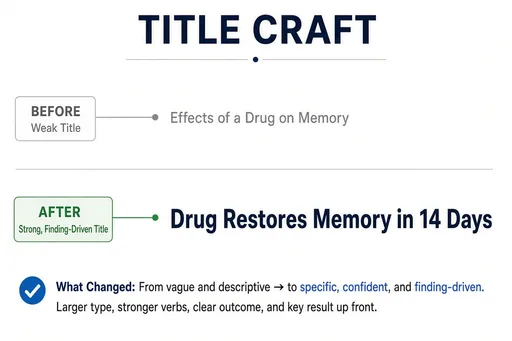 Poster title formulas
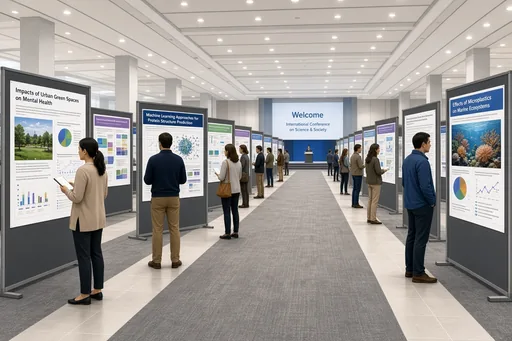 Poster hall overview
A labeled diagram is mostly labels: the drawing exists to anchor them. The label-first recipe treats your term list as the specification — each quoted term becomes a leader-line label placed against the right structure, spelled exactly as you wrote it.
This is the fastest path from "I need a diagram of X with these parts named" to a usable figure — study sheets, reference cards, documentation figures, and quiz plates.
List the terms in quotation marks and keep the count reasonable — 4 to 8 labels per figure is the sweet spot; more tends to crowd. If you need a bilingual figure, state it: "labels in English and Chinese".
After generating, read every label against your source list. Spelling is enforced by the prompt, but placement still deserves a check — that is the review step.
Guides for labeled, accuracy-first figures.
Practical starting points
Use these as structures, not magic phrases. Replace the subject, purpose and constraints with details from your own project.
Create a labeled diagram of an animal cell with "nucleus", "mitochondria", "ribosomes", "endoplasmic reticulum", "Golgi apparatus", and "cell membrane" on leader lines, textbook style.
Biology · reference figure
Create a labeled diagram of a bicycle showing "frame", "handlebar", "fork", "wheel", "chain", "derailleur", "pedal", and "saddle", technical illustration style.
Technical · parts figure
Create a labeled water-cycle diagram with labels in English and Chinese: "evaporation 蒸发", "condensation 凝结", "precipitation 降水", "collection 汇集".
Bilingual · education
Focused workflow
4–8 terms in quotation marks; exact spelling is preserved.
One sentence naming the thing being labeled and the style.
Check placement of each label against your list.
Regenerate with placement hints if a label lands on the wrong part.
Four to eight works best. Beyond that, labels crowd and placement errors become more likely — split the subject into two figures instead.
Put every term in quotation marks in the prompt. Quoted wording is treated as exact text and renders far more reliably than terms buried in prose.
Yes — write both languages in the prompt (e.g. "evaporation 蒸发") and both render on the figure. This is common for bilingual teaching material.
Review the current terms and any third-party rights that apply to your source material before publishing. For peer-reviewed journals, textbooks, or patient education, treat every AI illustration as a draft: verify structures against an authoritative atlas and have a domain expert sign off before publication. New accounts can try 2 free images before choosing a plan.
The workflow and its core prompt are already available in the generator. The page gives you the brief; the selected tool turns it into an image.
Open the selected workflow










