
Negative Prompts for AI Image Generation: Complete Guide
Negative prompts are instructions telling AI image generators what to exclude or avoid in the generated image. They work by steering the model away from unwanted elements — improving quality, fixing common issues, and refining results without rewriting your whole positive prompt.
Key Takeaways
-
Negative prompts cut down common defects — extra limbs, blurry faces, watermarks, garbled text — by telling the model what to avoid. They work best alongside a strong positive prompt, not as a replacement for one.
-
Target known issues, don't spray. Negatives earn their keep on recurring flaws (bad hands, watermarks, misspelled text). Stacking dozens of unrelated terms confuses the model more than it helps.
-
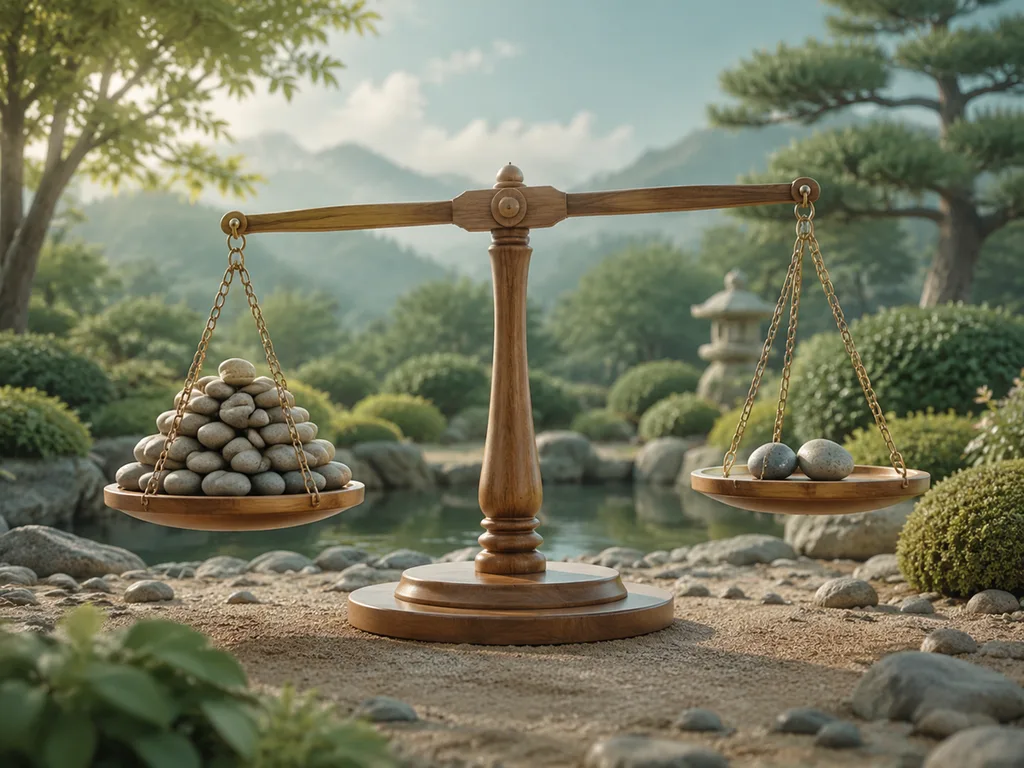
The 80/20 rule holds up. Spend most of your effort on a clear, specific positive prompt; use negatives for the ~20% of refinement that fixes specific flaws. Overloading negatives degrades quality.
Try it right here — your first image is free, no sign-up needed. GLMImage applies a tuned negative list behind each workflow, so you write the positive prompt and the exclusions come with the recipe.
How Negative Prompts Work
The Technical Concept

Negative prompts tell the AI model what concepts to avoid during generation. The model calculates:
Generation = Positive Prompt − Negative Prompt
| Component | Effect |
|---|---|
| Positive prompt | "Add these elements" |
| Negative prompt | "Exclude these elements" |
| Result | Combined output |
Platform Support
| Platform | Negative Prompt Support | Implementation |
|---|---|---|
| GLMImage | ✓ Built in | Per-workflow negative list applied automatically |
| Stable Diffusion | ✓ Full support | Dedicated negative prompt field |
| Midjourney | Partial | --no parameter (limited) |
| DALL-E 3 | ✗ No support | Must use positive phrasing |
| FLUX.1 | ✗ No native support | Guidance-distilled; negative prompts are not applied |
Essential Negative Prompts
Universal Quality Improvers
Use for Most Generations:
blurry, low quality, distorted, deformed, ugly, bad anatomy,
poorly drawn, extra limbs, disfigured, low resolution, pixelated,
grainy, artifacts, watermark, signature, text overlay
Breakdown by Purpose:
| Goal | Negative Keywords |
|---|---|
| Quality | blurry, low quality, low resolution, pixelated, grainy |
| Anatomy | bad anatomy, deformed, distorted, extra limbs, disfigured |
| Aesthetics | ugly, poorly drawn, amateur, cartoonish (for realism) |
| Clutter | watermark, signature, text overlay, logo, badge |
| Style | cartoon, anime (for realistic), painting (for photo) |
Negative Prompts by Use Case
For Portraits and People
Anatomy and Quality:
bad anatomy, deformed, distorted, extra limbs, missing limbs,
disfigured face, crossed eyes, uneven eyes, bad proportions,
long neck, mutated hands, extra fingers, missing fingers,
blurry face, low quality face
Example Complete Prompt:
Professional portrait of woman, 30 years old, studio lighting

Negative: bad anatomy, deformed, distorted, extra limbs, disfigured
face, crossed eyes, bad proportions, mutated hands, extra fingers
For Product Photography
Clean Product Shots:
watermark, logo, text, brand name, clutter, background objects,
shadows on product, reflections, blurry, low quality, distorted
perspective
Example Complete Prompt:
Wireless headphones product photography, floating above marble
surface, studio lighting

Negative: watermark, logo, text, brand name, clutter, background
objects, harsh shadows, blurry, low quality
For Text Rendering
Improve Text Accuracy:
garbled text, misspelled words, extra text, random letters,
text artifacts, blurry text, distorted text, multiple lines
of unwanted text, watermarks
Example Complete Prompt (GLMImage):
Poster with text "SALE 50%" at top, clean background, legible
typography

Negative: garbled text, misspelled, extra text, random letters,
text artifacts, blurry text, distorted text, watermark
For Landscapes and Environments
Clean Scenic Shots:
people, cars, buildings, power lines, text, watermark, logo,
blurry, low quality, oversaturated, cartoonish, plastic look
Example Complete Prompt:
Serene mountain landscape at sunset, no human elements

Negative: people, cars, buildings, power lines, text, watermark,
logo, blurry, low quality, oversaturated
For Artistic Styles
Control Style Output:
photorealistic (for art style), photograph (for illustrations),
blurry, low quality, amateur, child's drawing, stick figures,
oversaturated, washed out
Common Issues and Negative Prompt Solutions
Issue: Extra Limbs or Bad Anatomy
| Problem | Negative Prompt |
|---|---|
| Extra fingers | extra fingers, too many fingers, more than 5 fingers |
| Missing limbs | missing limbs, incomplete, cut off |
| Bad proportions | bad proportions, wrong proportions, distorted anatomy |
| Mutated hands | mutated hands, deformed hands, poorly drawn hands |
Comprehensive Anatomy Negative:
extra limbs, missing limbs, bad anatomy, deformed, distorted,
mutated hands, extra fingers, missing fingers, bad proportions,
wrong proportions, disfigured, malformed
Issue: Unwanted Text or Watermarks
| Problem | Negative Prompt |
|---|---|
| Random text | text, random text, letters, characters, typography |
| Watermarks | watermark, signature, artist name, logo, badge |
| UI elements | UI, interface, buttons, text overlay, graphics |
Comprehensive Text Negative:
text, random text, letters, characters, typography, watermark,
signature, artist name, logo, badge, UI, interface, buttons,
text overlay, graphics, text artifacts
Issue: Quality Problems
| Problem | Negative Prompt |
|---|---|
| Blurry output | blurry, out of focus, soft focus, low resolution |
| Noise/grain | grainy, noisy, artifacts, compression artifacts |
| Distortion | distorted, warped, stretched, pixelated |
Comprehensive Quality Negative:
blurry, out of focus, soft focus, low resolution, grainy, noisy,
artifacts, compression artifacts, distorted, warped, stretched,
pixelated, low quality, bad quality
Issue: Style Drift
| Problem | Negative Prompt |
|---|---|
| Too cartoonish | cartoon, anime, illustration, painting (for photos) |
| Too realistic | photorealistic, photograph, realistic (for art) |
| Wrong medium | oil painting, watercolor, digital art (for other styles) |
Platform-Specific Implementation
GLMImage
Implementation: Dedicated negative prompt field
Format:
Positive: [Your main prompt]
Negative: [Elements to exclude]
Best Practices:
- Separate negative prompts with commas
- Be specific about what to exclude
- Don't overload (5-15 terms optimal)
- Test incrementally
Example:
Positive: Professional headshot of businesswoman, office background,
studio lighting

Negative: blurry, bad anatomy, extra limbs, watermark, text,
low quality, distorted, oversaturated
Midjourney
Implementation: --no parameter
Format:
[Your prompt] --no [elements to exclude]
Limitations:
- Only supports basic exclusions
- Less sophisticated than dedicated field
- Best for simple exclusions
Example:
Professional headshot of businesswoman --no text, watermark,
blurry, bad anatomy
Stable Diffusion
Implementation: Dedicated negative prompt field
Format:
Positive: [Your main prompt]
Negative: [Elements to exclude]
Best Practices:
- Can use longer negative prompts
- Supports embedding-based negatives
- Works well with custom negative embeddings
Example:
Positive: Professional headshot, businesswoman, office background

Negative: blurry, bad anatomy, extra limbs, watermark, text,
low quality, distorted, (worst quality:1.4), (low quality:1.2)
Advanced Negative Prompting
Weighted Negative Prompts
Some platforms support weighting negative prompt elements:
Format:
(element:weight)
Examples:
(watermark:1.5), (blurry:1.3), (bad anatomy:1.2)
Weight Guidelines:
| Weight | Effect |
|---|---|
| 1.0-1.2 | Standard exclusion |
| 1.3-1.5 | Strong exclusion |
| 1.6-2.0 | Very strong exclusion (use sparingly) |
Embedding-Based Negatives
Stable Diffusion Advanced:
Specialized negative embeddings can be used:
Negative: (bad-artist:1.2), (bad-hands-5:1.3), (bad-anatomy:1.2)
Popular Negative Embeddings:
| Embedding | Purpose |
|---|---|
| bad-hands-5 | Fix hand generation |
| bad-artist | Improve artistic quality |
| bad-anatomy | Fix anatomy issues |
| negative_hand | Hand-specific fixes |
Sequential Refinement
Iterative Approach:
- Generate with positive prompt only
- Identify issues in output
- Add specific negatives for those issues
- Regenerate and evaluate
- Repeat as needed
Example Progression:
Round 1:
Positive: Woman in red dress
Negative: [empty]
Result: Extra fingers
Round 2:
Positive: Woman in red dress
Negative: extra fingers, bad hands
Result: Better hands, but blurry
Round 3:
Positive: Woman in red dress, sharp focus
Negative: extra fingers, bad hands, blurry
Result: Improved output
Negative Prompt Library
By Category
Quality Control:
blurry, low quality, worst quality, lowres, grainy, pixelated,
artifacts, distortion, warped, stretched
Anatomy Fixes:
bad anatomy, deformed, distorted, extra limbs, missing limbs,
mutated, disfigured, bad proportions, malformed, extra fingers,
missing fingers, bad hands
Unwanted Elements:
watermark, signature, text, logo, badge, UI, interface,
caption, title, username, artist name
Style Control:
cartoon, anime, illustration (for photos)
photorealistic, photograph (for art)
painting, drawing (for 3D/render)
People/Portraits:
crossed eyes, lazy eye, uneven eyes, asymmetrical face,
disfigured face, bad face, ugly face, old face (for young)
Background/Environment:
clutter, messy, busy background, distracting elements,
people (in landscapes), cars (in nature)
Common Mistakes to Avoid
Mistake 1: Overloading Negative Prompts
Problem: Too many negative terms confuse the model
Solution: Focus on 5-15 specific, relevant negatives
Too Much:
blurry, low quality, text, watermark, logo, signature, people,
cars, buildings, trees, grass, sky, clouds, sun, moon, stars,
 cartoon, anime, painting, drawing, sketch, ugly, deformed,
distorted, bad anatomy, extra limbs, missing limbs, hands,
fingers, face, eyes, mouth, nose, ears, hair, body, skin,
 clothes, shoes, hat, glasses, jewelry, accessories
Just Right:
blurry, low quality, watermark, text, bad anatomy
Mistake 2: Negating Essential Elements
Problem: Excluding things you actually want
Example Error:
Positive: Portrait of woman
Negative: face, eyes, mouth
Result: Portrait without facial features
Solution: Be precise about what to exclude
Correct:
Positive: Portrait of woman
Negative: blurry face, crossed eyes
Mistake 3: Relying Only on Negatives
Problem: Negating instead of proper positive prompting
Example Error:
Positive: Image
Negative: ugly, bad, poorly drawn
Solution: Focus on positive description first
Correct:
Positive: Beautiful portrait, professional quality, detailed
Negative: blurry, low quality
Mistake 4: Contradictory Instructions
Problem: Positive and negative prompts conflict
Example Error:
Positive: Oil painting style
Negative: painting
Solution: Ensure consistency
Correct:
Positive: Oil painting style
Negative: cartoon, photograph
Best Practices Summary
The 80/20 Rule
| Focus | Percentage | Emphasis |
|---|---|---|
| Positive prompt | 80% | Quality, detail, specificity |
| Negative prompt | 20% | Exclusions, fixes, refinements |
Quality Checklist
Before generating, consider:
- [ ] Positive prompt is detailed and specific
- [ ] Negative prompt targets specific issues only
- [ ] No contradictions between prompts
- [ ] Negative prompt has 5-15 terms max
- [ ] Test iteration strategy if issues persist
When to Use Negative Prompts
| Scenario | Negative Prompt Value |
|---|---|
| First generation | Low (focus on positive) |
| Known issues | High (target specific problems) |
| Refinement | High (fix identified flaws) |
| Quality control | Medium (standard negatives) |
| Style control | Medium (exclude unwanted styles) |
Frequently Asked Questions
Keep Going
Ready for more than one image? See plans and credits →











