
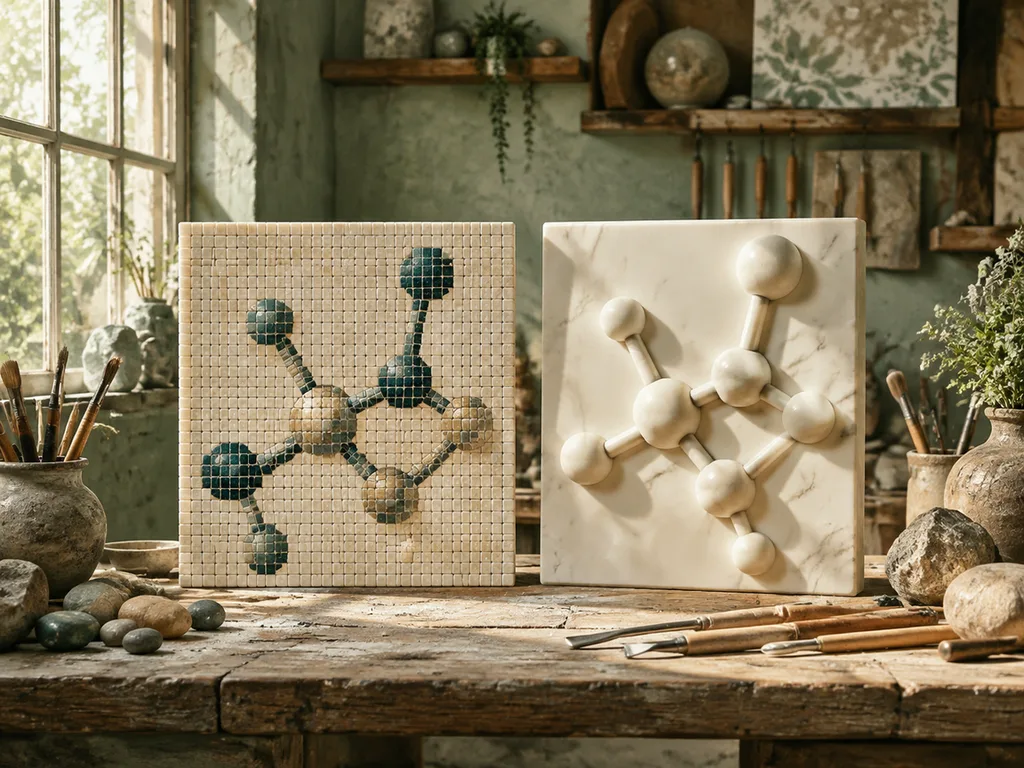
Same crop, three resolutions, identical print size — the middle one is fine for a thesis, the left one is a mistake. Raster-vers-vector is the least glamorous decision in scientific figure-making and the one that determines whether your figure survives contact with its destination. Here's the decision guide, the dpi rules, and where AI-generated figures actually sit.
Generate a figure · AI-to-vector workflow · Journal figures
The one-sentence version
Vector for lines and text, raster for continuous tone, and the destination picks. Diagrams, schematics, labels — vector. Photographs, micrographs, gradients, texture — raster. AI-generated scientific plates are born raster (pixels from the model) but want to be vector (diagrams at heart), which is exactly the bridge our Inkscape workflow covers.
The decision table
| Destination | Format | Why |
|---|---|---|
| Web page / blog | SVG for diagrams, WebP/PNG @2× for painterly | scales on any screen, small file |
| Slides (16:9) | PNG @2× display size or SVG | projectors rescale; raster must start big enough |
| Handout / worksheet | PDF (vector) | photocopies without going soft |
| Thesis (print) | PDF vector for diagrams; 300 dpi raster minimum for tone | print resolution floor |
| Journal submission | Per author guidelines — usually vector PDF/EPS for line art, 300–600 dpi TIFF/PNG for tone | venues differ; check current specs |
| Social / outreach | PNG/WebP @2×, 1:1 or 16:9 | platforms rasterize and re-compress anyway |
The journal row outranks everything: when a journal names a format, that is the decision, and it changes — re-check author guidelines per submission, don't trust cached rules. What AI drafting changes: regenerating to a newly-demanded spec is minutes, which makes spec-churn survivable (research workflow).

The dpi rules (raster)
- 72 dpi — screens only; in print it's the left panel above.
- 300 dpi — the print floor for photographic tone; the middle panel.
- 600 dpi — line art you insist on shipping as raster; preserves crisp edges (the right panel).
- The AI-generation rule: generate at the largest native size available, downscale for use. Never upscale — upscaling invents detail, and in a scientific figure invented detail is a category error, not a compression artifact.
One habit that prevents most raster regret: decide the physical display size first, then compute pixels (inches × target dpi), then generate/export at that size or larger. Posters especially — "looks fine on my laptop" fails at A0 (poster guide).
The vector rules
- Text stays text. Vector text at any zoom is crisp and searchable; outlined text is none of those. Only convert text to paths when a venue's pipeline demands it.
- Lines carry real weights. Hairline strokes that depend on the renderer's mood are how figures "disappear" in other people's PDF viewers.
- One color space per pipeline. RGB for web, CMYK when the venue prints — decide at export, not by accident.
- Embedded fonts or none. A missing-font substitution in a figure is a layout lottery.
Where AI figures sit (honestly)
Text-to-image output is raster at heart. Three practical consequences:
- Draft big. Generation resolution is your ceiling — there is no true upscale. 16:9 at the model's max for slides; 1:1 for square uses; don't stretch between them.
- Vectorize anything with lines and labels. A diagram figure that will be reused, resized, or submitted should cross the raster→vector bridge; a painterly illustration can live as high-res raster forever.
- Regenerate, don't upscale. When a destination needs more resolution than you have, re-running the prompt at target size beats any AI upscaler for scientific content — upscalers smooth invented structure into plausible-looking fake detail, which is precisely the failure mode verification can't catch downstream.
The checklist version
- [ ] Destination known — web, slide, print, or submission?
- [ ] Line-and-text figure → vector (or vectorized)? Continuous tone → raster ≥300 dpi?
- [ ] Generated at (or above) the physical size needed?
- [ ] Text still live text in the final file?
- [ ] Color space matches the pipeline (RGB web / CMYK print)?
- [ ] Journal specs re-checked against current author guidelines?
FAQ
Is 300 dpi enough for everything?
For tone (photos, micrographs, painterly plates) at print sizes, yes — it's the standard floor. For line art shipped as raster, 300 is where jaggies begin; use 600. And dpi alone doesn't rescue a figure generated too small: pixels can't be invented later, so the generation-size decision happens before any dpi math (rule above).
What's the best format for a thesis?
One PDF per figure, vector for diagrams, 300-dpi raster embedded for tone, RGB until the print shop says otherwise — then follow the print shop's instruction over any general rule. University templates usually name their figure policy; where they don't, vector PDFs render identically on every committee member's machine, which is worth real peace of mind during defense season.
Can I convert raster to vector later if I need to?
Yes — that's the whole Inkscape workflow — but the conversion quality was decided at generation time by the style you chose. A line-art draft traces cleanly; a watercolor draft traces into path soup. "I'll vectorize it later" is a plan only for figures drafted for editability in the first place.
What about WebP or AVIF for web figures?
Fine as delivery formats — smaller than PNG at equal quality, and this site's galleries use them. The rule: keep a lossless master (SVG or full-resolution PNG) and generate compressed derivatives per destination. WebP is a shipping format, not an archive format; converting from WebP later always loses a little more.
One master format if I must choose?
SVG for anything diagram-like, PNG at generation resolution for anything painterly — and the choice is really about editability, which is why it's the same fork as the vector workflow. The master you can open and fix in five minutes is worth more than any format's theoretical superiority; choose for the edit you know is coming.
The upscaler honesty paragraph
AI upscalers tempt every figure maker at some point: the poster needs more pixels than the generation has, and the tool offers to invent them. For scientific figures, don't — or at least, know exactly what you're buying. Upscalers hallucinate plausible detail: edges sharpen, textures fill in, and structure that wasn't there appears looking like it was. In a landscape painting that's art; in a microscopy crop it's fabrication with good lighting. The honest options, in order: regenerate at target size (cheap now), reduce the display size, or reframe the figure. Invented pixels are the one figure error no downstream verification can reliably catch, because the verifier's eye was trained on real texture — the fake looks exactly as real as everything else.
A format decision, worked
A concrete case: one mechanism figure destined for a paper, its graphical abstract, a slide deck, and the lab website. One generation can't serve four destinations — but one master can. Draft in line-art style and vectorize (the bridge); the SVG master is the paper's PDF export (text live), the abstract's rebuild source, the deck's SVG or 2× PNG, and the website's inline graphic. Four exports, zero regenerations, one verification pass — because the science was checked once, at the master. The counter-example: a photorealistic tissue hero for the same paper stays raster at 300 dpi and ships as-is everywhere; forcing it through the vector bridge would produce path soup and gain nothing (when not to vectorize).
The export matrix
Pin this matrix next to the desk: web → SVG (diagram) or WebP @2× (tone); slides → SVG or PNG @2× display pixels; handout → vector PDF; thesis → vector PDF + 300 dpi tone, RGB until the print shop speaks; journal → whatever today's author guidelines say, vector for line art, TIFF/PNG 300–600 dpi for tone; social → PNG @2×, sized for the platform's crop. The matrix's job is speed without errors — most format mistakes are made in a hurry at export time, and the two-minute lookup is always cheaper than the resubmission (the journal reality).
Next
Generate drafts on the scientific illustration presets, then route each figure by destination. Related: AI-to-vector in Inkscape · posters and presentations · verification protocol.
<!-- scientific-illustration-cluster-links:start -->
Continue through the scientific illustration collection
Create a scientific illustration · Browse the scientific illustration resource hub
Related: One Subject, Five Styles: Choosing a Scientific Illustration Style · How Many Labels Should a Scientific Diagram Have? A Practical Rule
<!-- scientific-illustration-cluster-links:end -->











