
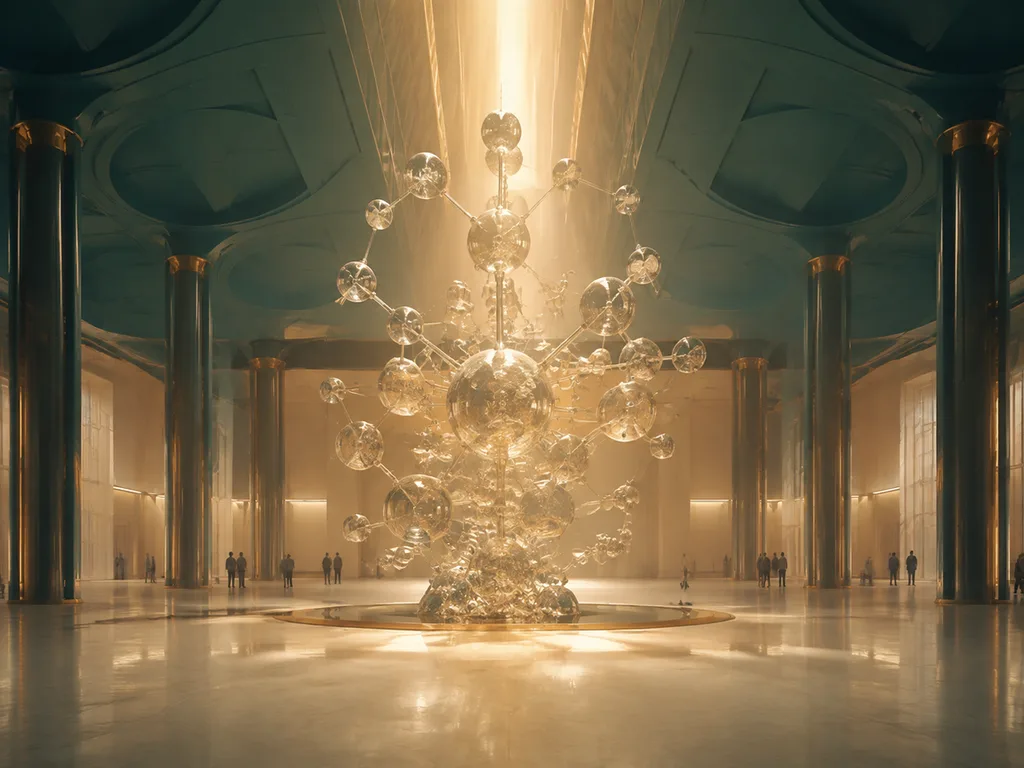
Look at those two posters for three seconds — the way a conference attendee does. One you understand; one you don't. The difference is the hero figure, and AI drafting has quietly made hero figures cheap enough that there's no excuse for the left-hand poster anymore. This guide covers the design rules that survive a poster hall, the slide-format specifics, and the prompts.
Draft a hero figure · Graphical abstracts · Scicomm figures
The hero-figure rule
A research poster supports one figure that carries the whole story — big, central, self-explanatory. Everything else on the poster is support staff: title, the one-sentence finding, small panels. The failure mode of most posters is not missing content but competing content: six medium figures, each too small to read from where people actually stand.
The AI workflow for a hero figure:
- Write the finding as one sentence. Same discipline as a graphical abstract — the poster is the abstract's big sibling.
- Storyboard two or three compositions as prompts. Cheap now — generate all three, print them small, pick. (Our planning-sketch demo shows exactly this selection step.)
- Draft at poster scale from the start — 16:9 or 4:3 panels assembled by your poster template, not one figure stretched.
A planning sketch showing how to turn a pathway discovery into a poster's main
visual: three candidate compositions as small thumbnails with annotation
callouts, and the chosen one enlarged with title and label zones blocked out.
Title: "DESIGN THE HERO".

The reading-distance test
Every element on a poster must be legible at the distance it will be read:
| Element | Read from | Rule of thumb |
|---|---|---|
| Title/finding | 4–5 m | The finding is the title: "Drug restores memory in 14 days", not "Effects of a drug on memory" |
| Hero figure + labels | 2 m | Labels read at arm's-length-plus; if they don't, regenerate larger |
| Supporting panels | 1 m | Three max |
| Methods/refs | 0.5 m | Minimum type, one column, nobody reads it — stop pretending otherwise |
The title upgrade is the single highest-leverage edit in poster design:
A before-and-after typography comparison for research poster titles: a weak
descriptive title in small plain type above, a strong finding-driven title in
bold large type below. Use the example titles "Effects of a Drug on Memory" and
"Drug Restores Memory in 14 Days". Title: "TITLE CRAFT".

Slides are posters at 90 km/h
A slide figure gets ~3 seconds. Consequences:
- One figure per slide, one message per figure. The label cap drops to four — two is better.
- 16:9 from the start. A square figure pasted into a slide becomes a small square. Generate wide.
- Contrast for projectors. Dark-background slides want light figures and vice versa; "flat colors, high contrast" in the style clause.
- Build sequences, not dense figures. Three slides that add one labeled structure each beat one slide with six labels — and AI drafting makes the three variants nearly free (same prompt, one label added per run).
Poster-session reality
What the hall actually looks like — the context your figure is competing in:
Your poster is one of dozens in a row. The passerby decision happens at ~4 meters on the title and hero figure alone. This is why the hero-figure rule outranks every other design preference — and why spending your AI-drafting budget on the hero first, supporting panels later, is the correct allocation.
The prompt pattern for poster figures
Same grammar as everything in this cluster (workflow), with two poster-specific additions:
A [STYLE] figure of [SUBJECT] for a research poster: one large central
[MAIN VIEW] with [INSET], labels sized for reading at two meters, flat colors,
high contrast, white background. Label "TERM 1", "TERM 2", "TERM 3",
"TERM 4". Title: "SHORT TITLE".
"labels sized for reading at two meters"— this phrase measurably changes output; models render text size from context like this."flat colors, high contrast"— survives projectors and cheap poster printing.
Verify at print size, not screen size: zoom to 100% and step back from your monitor. Microtext that's fine on your laptop is invisible on the poster.
Scientific review checklist
- [ ] Are all labels spelled correctly?
- [ ] Is the hero figure legible at two meters — actually tested?
- [ ] Does the title state the finding?
- [ ] Do arrows and stages run the correct direction?
- [ ] Is the figure the right aspect for its slot (16:9 slide, poster panel)?
- [ ] Has it been checked against the data and a trusted source?
FAQ
What resolution does the hero figure need?
For an A0 poster, generate at the largest native size available and let the printer downsample; for slides, 16:9 at 2× display pixels. The rule that prevents regret: decide physical size first, compute pixels second (the sizing method). A hero figure that's sharp on your laptop and soft on the board is the most common poster-day failure.
How many supporting figures?
Three, maximum, and each smaller than you think. The poster's budget is attention, not paper: one hero, three supporters, one methods stub. Every figure past that steals seconds from the hero — and the hero is why people stop.
Print: vector or raster?
Vector for anything with lines and labels (the workflow); raster at 300 dpi minimum for painterly heroes. The mixed poster — vector panels around a raster hero — is the professional default and prints cleanly.
Should I add a QR code to the data?
Yes — bottom corner, generous quiet zone, linking to the paper, preprint, or dataset. It converts the poster from a handout into a doorway, and it absorbs everything you couldn't fit: methods, tables, the full figure set. The poster keeps the message; the QR keeps the receipts.
Dark-background slides — regenerate or invert?
Regenerate. Inverting a light figure produces washed-out negatives and label collisions; the model renders directly for the medium when told — dark background, light line art, high contrast — and the two versions stay siblings of one prompt. Keep both in the library; conference halls and classrooms alternate lighting regimes and the deck travels.
The ten-second stranger test
Before printing, show the poster to someone outside your field for ten seconds and ask two questions: "What's the finding?" and "What's the figure showing?" If either answer is wrong, fix the poster, not the stranger. The test works because conference traffic really does give you four meters and a glance (the hall reality above) — and because your co-authors have looked at the draft too many times to see it anymore. Run it twice, on two different people, the week before the deadline.
The poster-day kit
Beyond the poster itself, four small figures make poster day work: a QR plate (bottom corner, linking the preprint — data, not decoration), a thumbnail story card (the abstract at business-card size, for the hand that doesn't want a photo of a poster), a one-slide version for the session's flash talk, and the hero figure as a standalone social asset. All four come from the same verified prompt family as the hero — format slots changed, nothing else — so one verification pass covers the kit (the outreach pattern). Ten minutes of drafting after the poster converges; a full day of conference value. The kit is also why the hero gets built first: everything else is a re-cut of it.
The figure budget per format
Format imposes a hard figure budget, and respecting it is most of the discipline: a poster carries one hero plus three supporters; a flash talk slide carries exactly one figure per slide, no exceptions worth making; a ten-minute talk runs eight to ten slides and thus eight to ten single-message figures; a handout wants two figures maximum beside text. Every figure over budget steals comprehension from the ones under it — attention is zero-sum at every format's timescale. The hero-figure rule above is this principle at poster scale; the same arithmetic runs all the way down to the three-second slide.
Scientific poster dimensions and template setup
Set the document size before designing figures. Conference requirements always take priority, but common starting points include 36 × 48 inches for a landscape research poster, 48 × 36 inches for the same size in the opposite orientation, and A0 at 841 × 1189 mm for venues using ISO paper sizes. Some events specify 42 × 56 inches, 48 × 48 inches, or a maximum board area rather than one required template. Never infer the final size from an old conference file: check the current event instructions and the physical orientation of the assigned board.
Build the template at final dimensions when the software permits it. Mark safe margins, create a simple column grid, and reserve a clear title band before placing figures. A three-column grid is a reliable starting point for a wide poster, but the research story should determine the number of columns. Keep the main result in the strongest visual position and give it more area than supporting methods. Consistent alignment, spacing, and caption treatment make a custom layout feel more coherent than a crowded template full of decorative boxes.
Legibility and export checks
- Print or view the poster at realistic scale and check the title from across the room, section headings from several steps away, and figure labels at conversational distance.
- Use vector charts or sufficiently high-resolution raster images; do not enlarge a small web image and assume the poster export will repair it.
- Check every axis, unit, legend, label, arrow, and statistical mark after scaling. Thin lines and pale colors often disappear first.
- Export to the format requested by the conference or printer, embed fonts when required, and inspect the exported PDF rather than trusting the editing canvas.
- Ask someone unfamiliar with the project to find the research question, primary result, and conclusion in ten seconds.
AI can help draft an illustration or hero figure, but it does not provide an editable scientific-poster template library. Use the scientific illustration generator or a focused diagram workflow for the visual asset, verify the science, and assemble final text, plots, citations, and layout in your presentation or design software.
Next
Storyboard your hero on the scientific illustration presets, print small, pick, then build the poster around the winner. Related: graphical abstracts · label-count rule · raster vs vector · verification protocol.
<!-- scientific-illustration-cluster-links:start -->
Continue through the scientific illustration collection
Create a scientific illustration · Browse the scientific illustration resource hub
Related: How to Create a Graphical Abstract with AI (With Real Prompts) · How to Create Life Cycle Diagrams with AI: Frogs, Butterflies, Stars
<!-- scientific-illustration-cluster-links:end -->











