
A clean product photo used to mean a studio booking. AI product photography changes the math: you upload one decent shot of your product, and generate the white-background main image, the lifestyle scene, and the marketplace-ready variations from it. This guide walks through the three modes that matter for ecommerce — white background, lifestyle placement, and Amazon-style listing images — with the actual prompts and the mistakes to avoid.
Why AI product photography works now
Two things changed. First, editing models got good at the hard part — keeping the product identical while rebuilding everything around it. The shape of the bottle, the label position, the logo colors: these have to survive the edit or the image is useless for a real store. Second, the cost dropped far enough that generating ten scene variations costs less than one studio hour.
The typical ecommerce catalog has three image jobs. The main image needs a pure white background and nothing else. The secondary images need context — the product in a kitchen, on a desk, in someone's hand. And the marketplace versions need to follow specific rules. AI handles all three from the same source photo, which is why AI product photography became one of the most used workflows on our site.
What it does not replace: the original photo of your actual product. You still need one honest shot. Everything downstream is derived from it.
The white background main image
This is the money shot for marketplaces. Amazon's main image rules are strict and enforced: pure white background (RGB 255,255,255), the product filling roughly 85% of the frame, no added text, no graphics, no watermarks, no props. Getting this wrong means a suppressed listing.
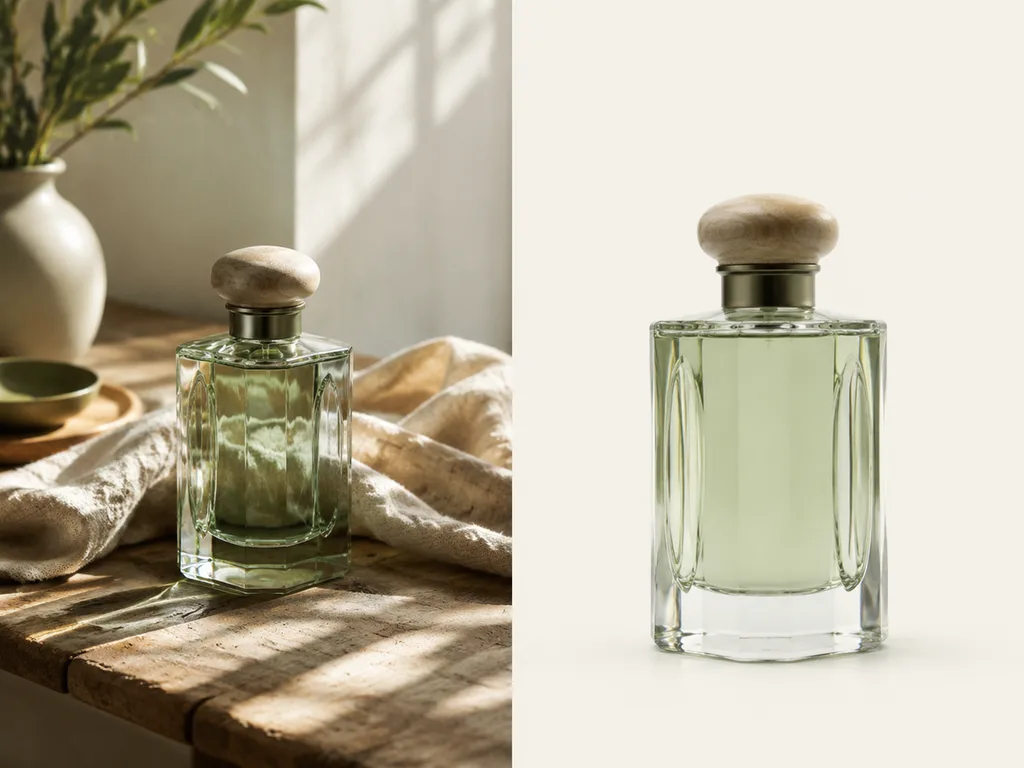
The workflow: upload your sharpest product photo, choose the white-background mode, generate. The model isolates the product, rebuilds the edges, and drops it on clean white. A useful prompt addition when you have an odd-shaped product: "keep the original camera angle, rebuild soft natural contact shadow under the product." That contact shadow is what separates a believable cutout from a floating sticker.
Check three things before uploading: straight edges on glass and metal, logo colors unchanged, and no halo of the old background along the contour. Zoom to 200% — that is where bad cutouts show.
Lifestyle product photography without a shoot
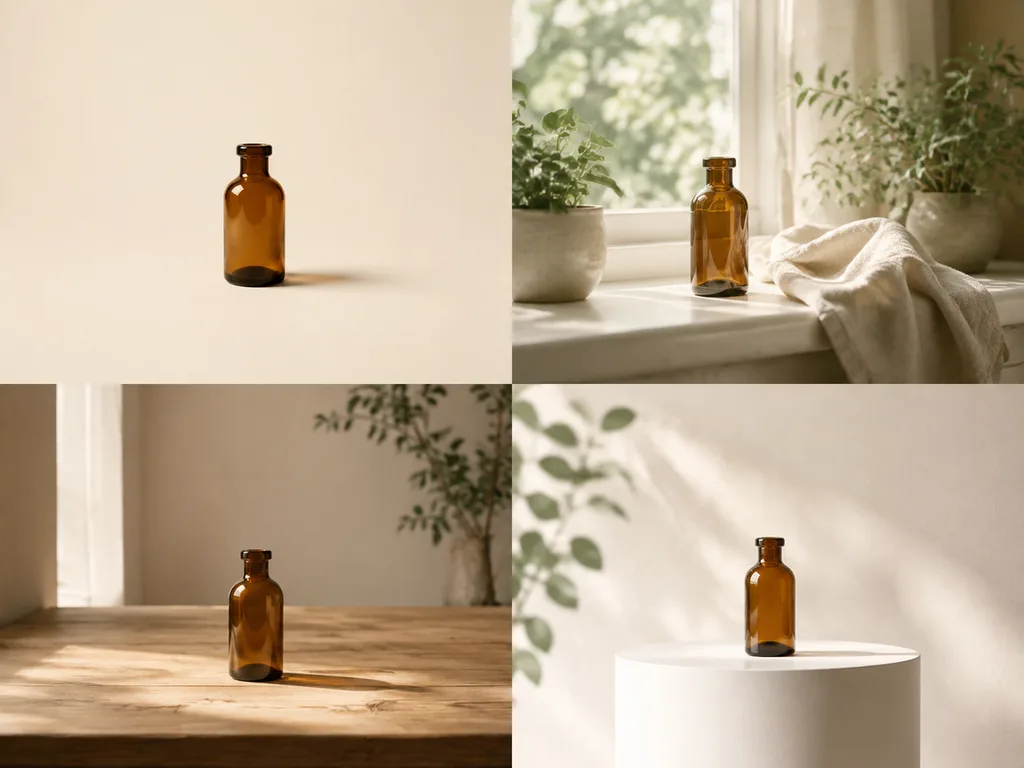
Lifestyle images sell context. A skincare bottle on a bathroom shelf with morning light. Headphones on a desk next to a laptop. Coffee beans spilling from the bag onto a wooden table. Shooting these means props, locations, and a photographer — or did.

Prompt the scene, not the product. The product stays fixed; describe what surrounds it: "place the product on a marble kitchen counter, soft window light from the left, a few lemons and a linen towel slightly out of focus behind it." Mention scale cues — a hand, a mug, a plant — so the size reads correctly. And keep one rule from traditional product photography: the product stays the sharpest thing in the frame.
For seasonal campaigns, generate the same product across four scenes — summer terrace, autumn kitchen, holiday table — and A/B test which context converts. That is a full campaign's worth of imagery from one photo.
Amazon product images that pass review
Beyond the main image, Amazon lets you use infographics and comparison blocks in secondary positions. The safest split: positions 2 and 3 for lifestyle and feature callouts, position 4 for a size or scale reference, position 5 for what's in the box.
Technical requirements worth remembering: images should be at least 1000 pixels on the longest side for zoom to work, and 1600 or more is better. JPEG is the safe format. Real text rendered by an image model can garble at small sizes, so for callout text, generate the background graphic with AI and add type in Canva or Figma — that keeps the words crisp and lets you fix typos without a re-generation.
If your listing photos have clutter to clean up first — stray props, reflections, a hand in frame — handle that with the AI object remover before you start placing the product in new scenes.
Prompts that actually work
A product photography prompt has four slots: the product (fixed), the surface, the light, and the mood. Fill all four.
Weak: "perfume bottle on a table, nice lighting."
Better: "the perfume bottle standing on polished travertine, single soft light from upper right, warm minimal mood, background falls off to a soft cream gradient, gentle reflection under the bottle."
For brands with a visual identity, name it: "clean Scandinavian pharmacy aesthetic" or "muted earth tones, matte finishes." Consistent prompt language across a catalog is what makes fifty generated images look like one brand.
When a scene needs a second physical object — packaging, a gift box — the AI packaging design guide covers generating the packaging itself first.
What AI product photography costs
Studio product photography runs from tens of dollars per image for basic white-background work to several hundred for styled lifestyle sets, plus the shoot day itself. Generation-based workflows price per image at a few cents, and the expensive part becomes your judgment: picking which of five candidates ships.
That trade makes small catalogs the sweet spot — a 20-SKU shop can carry a full image set per SKU for what one studio day used to cost. Large catalogs still benefit for seasonal refreshes and marketplace variations rather than replacing the entire library.
A repeatable workflow
- Shoot or select one clean, well-lit photo per product — phone cameras are fine.
- Generate the white-background main image; verify edges and logo at 200% zoom.
- Write two lifestyle scenes per product that match your brand's palette.
- Build the marketplace set: main, two lifestyle, scale reference, box contents.
- Track which scenes convert; regenerate the losers next season.
The whole loop for one product takes under an hour once you have prompt patterns you trust. Try the product photography workflow →
FAQ
Do marketplaces allow AI-generated product images?
Amazon requires the main image to represent the actual product accurately. Editing the background and scene around a real product photo is standard practice; generating a fictional version of the product itself is not. Keep the product real, edit the context.
Will the white background pass Amazon's checker?
If the tool outputs true white (255,255,255) and the product fills about 85% of the frame, yes. Always verify the corner pixels in an editor before upload — off-white is the most common rejection reason.
Can I fix a bad logo after generation?
Sometimes, by regenerating with "keep label and logo exactly unchanged" in the prompt. If a logo keeps drifting, generate the scene and composite the real label in Figma — an hour of editing beats fifty failed generations.
One photo per product, or several?
Start with one straight-on shot. Add a 45-degree angle shot for products with texture or unusual shape — shoes, ceramics, hardware.
Where do lifestyle images convert best?
Product detail pages above the fold and paid social. Marketplace secondary slots tend to favor feature callouts over pure lifestyle.












